
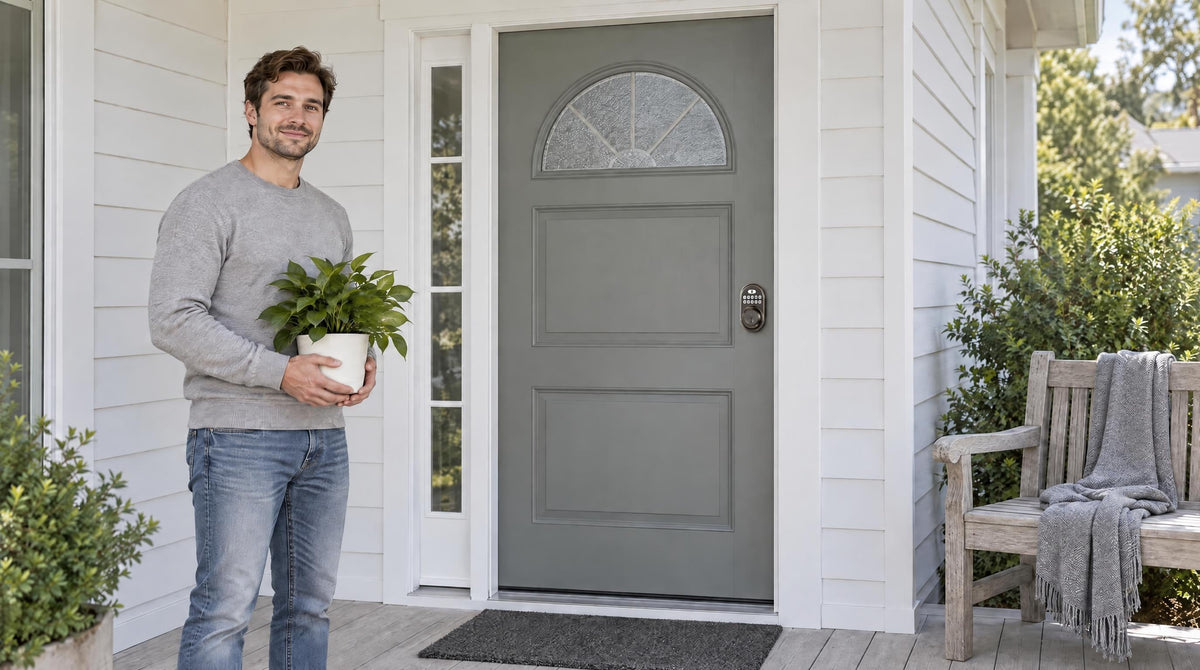
The $50 smart lock question comes up constantly: Is there a real smart lock for under fifty dollars, or is that just marketing? The short answer is honest — it depends entirely on what you mean by "smart." If smart means keyless entry, multiple user codes, auto lock, and a physical key backup, yes, you can absolutely get that for $50 or less. If smart means remote access from your phone, real-time entry alerts, and Alexa voice control, you're looking at a different price tier.
That distinction matters more than most buying guides let on. Plenty of shoppers land on a $35 keypad deadbolt, discover it has no app, and feel shortchanged — not because the lock is bad, but because the label "smart lock" set the wrong expectation. This guide cuts through that confusion. We'll walk through exactly what the under-$50 tier delivers, what it skips by design, and how to know whether a keypad lock is genuinely all you need or whether stepping up to a connected lock is worth it for your household. Whether you're a new homeowner replacing an old deadbolt, a property owner managing a short-term rental, or a parent who just wants the kids to stop losing house keys, there's a right answer here — and it doesn't always require spending more.
What $50 Actually Buys You in a Door Lock
At the $50 price point, you're firmly in keypad deadbolt territory. This is a full lock replacement — the old deadbolt comes out, the new one goes in — and the result is a door that opens with a PIN code instead of a key. That's a genuine upgrade over a traditional mechanical deadbolt, and for many households, it's all they ever need. What you're not getting is a connected device: no built-in Wi-Fi radio, no app pairing, no remote control. The electronics in a sub-$50 lock handle local entry only, which is a deliberate design choice that keeps the price down.
It helps to think of the lock market as a spectrum rather than a single category. On one end, you have traditional mechanical deadbolts — key only, no electronics. On the other end, you have Wi-Fi smart locks with touchscreens, fingerprint scanners, and full app integration. Keypad deadbolts sit in the middle: they've taken the key off daily duty, gained multiple user codes and auto lock, but they haven't crossed into remote connectivity. That middle ground is legitimately useful, and it's where the sub-$50 market lives.
What You Can Expect: The Real Wins at This Price Point
A quality keypad deadbolt under $50 delivers a meaningful set of features that solves everyday frustrations most households actually have. Here's what you can count on from a well-built lock in this range:
- Keyless entry via PIN code. No key is needed for daily entry, so there's nothing to hide under a fake rock by the door. You enter a code and the bolt retracts — that's the core value, and it works reliably in this price tier.
- Multiple user codes. Most keypad deadbolts in this range support anywhere from a handful to dozens of unique codes, so family members, housekeepers, or trusted friends each get their own access without sharing a single code.
- Auto lock. The lock re-engages automatically when a set timer runs out — 10 to 99 seconds on Veise Keypad Deadbolt locks — so a closed door you forgot to lock doesn't stay unlocked.
- Physical key backup. Every well-designed keypad lock includes a physical key slot for emergencies. Dead batteries or forgotten codes don't leave you locked out.
- Anti-peep PIN entry. Every Veise lock lets you add random digits before or after your real code so no one watching over your shoulder can learn your combination from the keypad wear pattern.
- Quick DIY installation. A keypad deadbolt drops into your existing door prep in about 15 minutes with a screwdriver. No wiring, no professional help needed.
These features address the most common daily complaints about traditional keyed locks: lost keys, shared keys, doors accidentally left unlocked, and the need to rekey when someone's access needs to change. For a household that just wants to take physical keys off daily duty and add basic multi-user access, a keypad deadbolt does exactly that without overcomplicating things.
What You Can't Expect: The Honest Trade-Offs
Being equally honest about the limitations is just as important, because this is where buying decisions go wrong. The features below are not available in the sub-$50 tier — not because budget brands cut corners on them, but because they require hardware (Wi-Fi radio, AI fingerprint chip, secure cloud connection) that adds cost by design.
- Remote app control. You cannot lock or unlock your door from the grocery store, office, or airport with a Keypad Deadbolt or Keypad Latch lock. There is no Internet connection in the lock itself. Remote access requires a smart lock — gateway-paired or Wi-Fi — not a keypad lock paired with an external device after the fact.
- Real-time entry alerts. No app means no push notifications when your kids get home from school or when someone enters the wrong code three times in a row.
- Entry history and activity log. Keypad Deadbolt and Keypad Latch locks keep no entry log you can review. You can't review who came in at 3 PM on Tuesday.
- Fingerprint unlock. Biometric readers require a dedicated AI chip for fast, accurate recognition. That component typically puts a lock above the $50 threshold.
- Voice assistant integration. Alexa and Google Assistant work with Wi-Fi smart locks directly, and with Smart Lock w/ Gateway 1/2 when the paired gateway is in place. Keypad Deadbolt and Keypad Latch locks have neither, so voice commands aren't possible.
- Remote code management. Adding or deleting user codes on a Keypad Deadbolt or Keypad Latch lock requires physical access to the keypad itself. You can't revoke a code from your phone when you're across town.
None of these omissions make a keypad deadbolt a bad product. They make it the right product for some buyers and the wrong one for others. The honest framing matters here because the term "smart lock" gets applied to locks across all of these tiers, creating mismatched expectations at purchase.
Who the $50 Budget Works For
A keypad deadbolt is a strong fit for straightforward, keyless access. If your household has a small, stable group of people who use the same door on a predictable schedule, a keypad can make everyday entry easier without requiring app notifications or remote control. It's a natural choice for a primary entry door, as well as a back door, garage entry, or other access point where you want keyless convenience without the added complexity of connected features. It's also a practical option for a storage unit, workshop, or secondary building where access is infrequent and the user list stays relatively stable.
Households where convenience matters more than remote visibility are also well served. If the main frustration is losing keys or waiting for a family member to come home and let you in, a PIN code entry solves that completely. Similarly, anyone upgrading multiple interior or secondary doors on a budget benefits from the lower per-lock cost — spreading the investment across several doors while keeping keyless entry consistent throughout the home.
For property owners managing a short-term rental with a stable access rotation, a keypad deadbolt works well at the entry level. You set a code before each guest arrives and change it after they leave — all done at the keypad in person. It's a workable system when you're nearby and don't need to manage access remotely.
When It Makes Sense to Spend More
The upgrade decision becomes clear once you identify which missing features are actually problems for your lifestyle, not just nice-to-haves. If you have school-age kids and you want to know the moment they get home, a keypad deadbolt won't tell you that — a Wi-Fi Smart Lock or a Smart Lock w/ Gateway 1/2 will, because both connect to an app that sends entry notifications in real time. That single feature is often the reason parents step up from a keypad deadbolt to a connected option.
Short-term rental hosts managing bookings remotely face a similar situation. When a guest checks in early or a cleaner needs access between stays, the ability to add or revoke a code from your phone without being on-site is genuinely operational — not a luxury. Remote access requires a smart lock (gateway-paired or Wi-Fi), which sits from the mid-range to the top of Veise's $30–$180 lineup. For multilingual households, it's also worth knowing that Smart Lock w/ G1 and the Touchscreen Wi-Fi Smart Lock (VE027 Series) ship with English, Spanish, and French voice prompts, which can be a meaningful selection criterion.
Fingerprint access is another common upgrade driver. For households with young children who might forget a code, or elderly family members who find keypad entry fiddly, a fingerprint scan that recognizes a registered finger in under 0.3 seconds removes all friction from daily entry. That convenience, combined with the privacy benefit of storing biometric data locally on the lock's own chip rather than in a cloud database, makes fingerprint-equipped locks worth the added investment for many buyers.
Veise Options at and Under $50
Veise's lineup starts at $30 and spans up to $180, which means there are genuine options at both ends of the decision — and the products across that range share the same manufacturing origin. Backed by Kaadas Group's 38 years of lock industry expertise and 711 patents (the world's largest smart lock patent portfolio), Veise designs and builds its own locks rather than reselling OEM hardware. That vertical integration shows up in build consistency: the entry-level keypad deadbolt and the top-of-range Wi-Fi smart lock come from the same engineering pipeline, not different factories assembled under the same label.
The Veise Keypad Deadbolt line covers the core use cases described above. Entry-level models offer keypad code entry and a physical key backup for wood doors between 1-3/8" and 2" thick, covering the standard residential door range. These locks are ANSI/BHMA Grade 3 certified and install in about 15 minutes with a screwdriver, with no wiring required. There are no subscription fees or monthly charges. Fingerprint-equipped models in the KS02 series add biometric entry for users who want more ways to unlock.
If you've landed on this guide and recognized that a Keypad Deadbolt isn't quite enough for your situation, the upgrade path within the Veise lineup is direct. The Smart Locks w/ G1 and Smart Locks w/ G2 lines add remote app control through the paired gateway and key fob backup — with fingerprint on every Smart Lock w/ G1 and many Smart Lock w/ G2 models — while keeping installation equally simple. For households that want full built-in Wi-Fi with Alexa and Google Assistant support, the Wi-Fi Smart Lock collection handles that without a separate gateway. Across all categories, Veise recognizes that technology should simplify home life, not add complexity — and the Effortless Home Improvement™ Experience behind every product reflects that belief.
The complete Veise range, from mechanical locks to Wi-Fi smart locks, is available at iveise.com. Easy from Day One.
What to Look For When Shopping This Price Range
A few practical criteria help separate well-engineered keypad deadbolts from budget options that look the same on a product page but perform differently after a year on the door.
Door compatibility. Verify that the lock fits your door thickness (typically 1-3/8" to 2" for standard residential wood doors) and uses the standard backset your existing hole prep requires. Keypad deadbolts in this category are designed for wood doors. They are not compatible with fiberglass, metal, storm, or sliding doors.
ANSI/BHMA certification. Look for Grade 3 certification as a baseline residential standard, confirming the lock meets tested durability and cycle requirements. Any keypad deadbolt offered without an ANSI rating should be passed over regardless of price.
Auto lock configurability. A fixed auto lock delay is less useful than one you can configure to match your household's rhythm. Veise Keypad Deadbolt locks let you set it anywhere from 10 to 99 seconds — short enough to secure the door quickly, long enough to not trap you on the porch with groceries.
Code capacity and management. For most households, the ability to set multiple unique codes (one per family member or regular visitor) is more useful than a single shared code. Look for locks that support individual codes rather than just one master PIN.
Physical key backup. This is non-negotiable. Every keypad deadbolt should include a physical key override for dead batteries or forgotten codes. Locks without this backup introduce a real lockout risk that no budget savings justify.
No subscription requirement. Some budget smart lock brands charge monthly fees to maintain access to features or cloud-stored codes. All features on a keypad lock should work out of the box without a subscription — and that should be confirmed before purchase, not discovered after.
The honest answer to the smart lock under $50 question is this: you can get excellent keyless entry, multi-user codes, auto lock, and reliable daily security at that price — and for a large portion of homeowners, that's genuinely everything the door needs. What you can't get at $50 is remote access, app notifications, fingerprint speed, or voice assistant integration. Those features aren't a marketing upsell; they require real hardware that adds real cost.
Knowing which category your household actually falls into is the most useful thing this guide can leave you with. If the core need is taking physical keys off daily duty and letting multiple people in with their own codes, a keypad deadbolt is the right tool and the right price. If you need to monitor who's coming and going from a distance, issue and revoke codes remotely, or give a hands-free entry option to family members who might forget a PIN, the connected tier is where the investment pays off. Either way, the lock on your front door should make life simpler — and that decision is clearer once you know exactly what each price point includes.
Frequently Asked Questions
Is a $50 lock actually a "smart lock"?
It depends on the definition. A $50 keypad deadbolt is smart in the sense that it offers keyless PIN code entry, multiple user codes, and auto lock — with no key needed for daily entry. It is not smart in the connected sense: there is no app control, no remote access, and no entry alerts. Both types are sold under the "smart lock" label, so it's worth clarifying which features matter to you before buying.
Can I add remote access to a keypad lock later?
No. Remote access requires a smart lock from the start — either a Smart Lock w/ Gateway 1/2 or a Wi-Fi Smart Lock. A Keypad Deadbolt or Keypad Latch lock cannot be retrofitted with remote capabilities by adding a gateway device. If remote access is a priority now or might become one, it's more cost-effective to start with a connected lock than to replace a keypad lock later.
What doors are keypad deadbolts compatible with?
Standard keypad deadbolts are designed for wood doors with a thickness between 1-3/8" and 2". They are not compatible with fiberglass, metal, storm, or sliding doors. Always confirm your door material and thickness before purchasing.
Do I need a professional to install a keypad deadbolt?
Not for a standard replacement. If you're swapping out an existing deadbolt, a keypad deadbolt installs in about 15 minutes with a screwdriver and no wiring — just follow the included installation guide and video step by step. The lock uses battery power, so there's no electrical work involved. New door installations that require boring a new hole may take longer and benefit from a professional, but a simple deadbolt swap is a straightforward DIY project.
What happens when the battery dies on a keypad lock?
Every Veise keypad deadbolt includes a physical key cylinder for exactly this scenario. Before the batteries run out, the lock alerts you with a voice or beep prompt and an indicator light, giving you time to swap in fresh AA/LR6 alkaline batteries. If emergency power matters to you, every VE017 series and VE027 series smart lock also includes a USB-C port that lets you supply power from outside long enough to get in.
Is Grade 3 security certification sufficient for a front door?
Yes. ANSI/BHMA Grade 3 is the standard residential certification and meets the security requirements for front door use in a typical home. Grades 1 and 2 target high-traffic commercial environments rather than representing a higher quality tier for residential use. For a home front door, Grade 3 certified hardware provides the tested bolt strength and cycle durability appropriate for daily residential use.
What Veise locks are available under $50?
Veise's Keypad Deadbolt line starts with the RZ-A, which sits at the $50 mark, offering keypad code entry, auto lock, and a physical key backup for wood doors. The full lineup spans $30 to $180, covering everything from mechanical locks to fully connected Wi-Fi smart locks with fingerprint and Alexa integration — all without subscription fees.
Veise's Keypad Deadbolt line includes the RZ-A as an entry-level option, offering keypad code entry, auto lock, and a physical key backup for wood doors. The full lineup spans $30 to $180, covering everything from mechanical locks to fully connected Wi-Fi smart locks with fingerprint and Alexa integration. All options come without subscription fees or monthly charges.
Not Sure Which Lock Is Right for Your Door?
The Veise team is here to help you find the right fit — whether you need a simple keypad deadbolt or a fully connected smart lock. Browse the complete lineup or reach out directly.
Contact Us

Leave a comment
This site is protected by hCaptcha and the hCaptcha Privacy Policy and Terms of Service apply.