
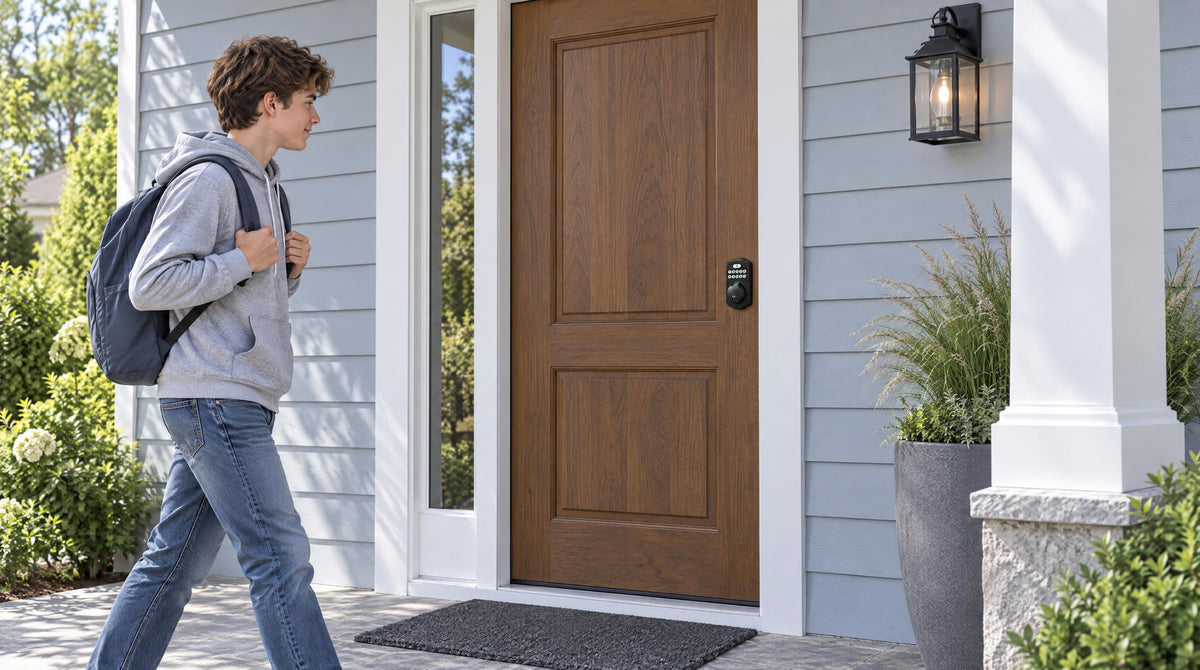
Losing a key, leaving the door unlocked, or trying to let a family member in while you're stuck at work — these are the small frustrations that add up fast. A smart lock eliminates most of them, and the good news is that you don't have to spend a fortune to get real security and genuine convenience. There are excellent options available for under $100 that cover everything from simple keypad entry to fingerprint access and full remote app control.
The challenge isn't finding a smart lock at this price point — it's knowing which kind actually fits your door, your household, and the way you live. This guide cuts through the noise. We've organized the best smart locks under $100 by category, explained what each type is actually good for, and included a side-by-side comparison so you can make a confident decision without second-guessing yourself. Whether you're a first-time homeowner replacing a builder-grade deadbolt or a property owner managing a short-term rental, there's a practical pick here for you.
What to Look for in a Smart Lock Under $100
Before jumping into specific picks, it helps to understand the features that actually matter at this price range — and which ones are nice-to-have versus genuinely important for everyday use.
Lock Category and Connectivity
Smart lock shopping gets confusing quickly because "smart lock" means different things depending on who's selling it. The most useful way to think about it is by connectivity type. A keypad deadbolt works entirely offline — you enter a code, the bolt retracts, you're in. No app, no Internet, no gateway required. A Smart Lock w/ Gateway 1/2 uses a short-range wireless connection to your phone locally but needs a paired gateway (a small device plugged in within range of the lock and connected to your home network) to unlock features like remote access and voice control. A Wi-Fi smart lock connects directly to your home's router, giving you full remote access and app control with no extra hardware at all. Understanding these three tiers makes every other buying decision easier.
Security Certification
Look for ANSI/BHMA Grade 3 certification, which is the standard for residential locks. It signals the lock has been tested for durability, strength, and resistance to forced entry. Grades 1 and 2 are designed for high-traffic commercial settings, so Grade 3 is exactly where a residential front door lock should land. Anti-peep PIN protection is another worthwhile feature: it lets you enter random digits before or after your real code so anyone watching nearby can't figure out your PIN. Auto lock, which automatically secures the door after a configurable delay, rounds out the core security checklist.
Unlock Methods and Practical Flexibility
Think about who uses your front door on a regular basis. Kids coming home from school benefit from a simple keypad code. Adults who carry phones will appreciate app control. Elderly family members may find a physical key backup the most reassuring fallback. If you have multiple household members with different preferences, a lock that supports several entry methods (keypad, fingerprint, physical key, and app) reduces friction for everyone. Remember: more methods don't always mean better — only as many as your household will actually use on a daily basis.
Installation and Door Compatibility
Most quality smart locks are designed for DIY installation on standard wood doors, typically completed in about 15 minutes with a screwdriver and no wiring. Before you buy, verify your door's thickness (most standard US wood doors fall in the 1-3/8" to 2" range) and whether your lock requires a full replacement of the existing hardware. Some brands offer overlay-style products that sit on top of an existing lock; most others, including Veise, replace the entire lock assembly, which requires you to be the property owner or have authority to modify the door hardware. Veise locks are compatible with wood doors only and are not designed for metal, fiberglass, storm, or sliding doors.
Price and No Subscription Fees
The $100 budget goes further than many shoppers expect: it covers keypad and fingerprint deadbolts as well as connected smart locks with remote app control and voice assistant integration, as long as you stick with the standalone deadbolt configuration. One thing worth checking before you buy: some brands charge monthly subscription fees for features like access history or remote notifications. Look for locks that include these features at no ongoing cost.
Best Smart Locks Under $100: Top Picks
The picks below are organized by lock type — Keypad Deadbolt, Smart Lock w/ Gateway 1 and 2 (two lines within one category), and Wi-Fi Smart Lock — and each solves a different real-world problem. The under-$100 figure refers to each line's standalone deadbolt configuration; handleset bundles that add a lever, knob, or vertical handle cost more. Veise is built on Kaadas Group's 38 years of lock industry expertise and 711 patents, the world's largest smart lock patent portfolio. Because Veise designs, engineers, and manufactures its own locks in-house, every model in the lineup carries ANSI/BHMA Grade 3 certification and is priced between $30 and $180 with no subscription fees required. It's the #1 smart lock brand on Amazon North America, and has been recognized by Frost & Sullivan as the global No.1 high-end smart lock brand by sales. Easy from Day One.
Best Offline Keyless Lock: Veise Keypad Deadbolt (KS02 Series)
Best for: Homeowners who want fast, reliable keyless entry without any app or Internet dependency
Position in the lineup: Accessible end of Veise's $30–$180 range
The Veise Keypad Deadbolt is the most direct upgrade from a traditional keyed deadbolt. You enter a code on the keypad, the bolt retracts, and you're in — no phone, no Internet, no gateway. Every model includes a physical key backup, and the KS02 series adds fingerprint access with a scan time under 0.3 seconds, powered by an AI chip that stores fingerprint templates entirely on the device. No cloud account is required, and your biometric data never leaves the lock itself.
The KS02 series splits into two practical form factors. The KS02A is a deadbolt-only option that pairs with your existing door handle, making it a clean drop-in replacement for most front doors. The KS02B, KS02C, and KS02D are handleset bundles that include a lever, knob, or vertical handle respectively, so you're replacing the full trim at once. Auto lock is configurable between 10 and 99 seconds, and the anti-peep entry system lets you pad your code with random digits so onlookers can't identify your PIN. The non-fingerprint line (RZ-A, RZ-C, KS01B, KS01C) offers a simpler keypad-plus-key-backup configuration starting at a lower price point for secondary doors or garage entries.
The Effortless Home Entry™ experience this lock delivers is exactly what the name suggests: walk up, touch or type, and go. There's no gateway to set up, no app to open, and no Wi-Fi signal to rely on. For homeowners replacing a builder-grade deadbolt and looking for a reliable daily-driver upgrade, the KS02 series is a dependable, no-fuss choice.
- Fingerprint scan under 0.3 seconds (KS02 series)
- Multiple fingerprints stored on-device, no cloud required
- Auto lock configurable between 10 and 99 seconds
- Anti-peep PIN protection
- ANSI/BHMA Grade 3 certified
- Physical key backup on all models
- IP54 weather resistance
- No app, no Internet, no subscription
Worth knowing: The keypad deadbolt category does not support key fob or app control. If remote access or entry history monitoring is important to you, step up to a Smart Lock w/ Gateway 1/2 or a Wi-Fi smart lock instead.
Best All-in-One Connected Lock: Veise Smart Lock w/ G1 (VE017 Series)
Best for: Families who want remote access, entry history, and multilingual voice prompts in a single package
Position in the lineup: Mid-range; the G1 gateway is sold separately (the VE017G and VE017G-H bundles include it)
Smart Lock w/ G1 is built on a single product series — the VE017. The entire G1 line comes standard with fingerprint access, multilingual voice prompts (English, Spanish, and French), and a USB-C emergency power port that is standard on every VE017 series model. Those three features aren't split across sub-models; every SKU in the VE017 series includes all of them. This makes it the most reliable all-in-one pick in the Veise connected lineup, particularly for multilingual households where Spanish- or French-speaking family members benefit from on-device voice guidance in their preferred language.
Unlock methods include keypad code, fingerprint, key fob, physical key, and remote app control once paired with the G1 gateway. Voice assistant support for Alexa and Google Assistant also requires the paired G1 gateway. Without the gateway connected, the lock still works fully offline — fingerprint, keypad, key fob, and physical key all function locally. Even when Wi-Fi is down, app control continues to work locally as long as you're within short-range wireless distance of the lock. The Smart Locks w/ G1 collection covers multiple form factor options including standalone deadbolts and handle-set bundles with lever, knob, or vertical handle configurations.
Parents of kids who come home independently will find the entry history logs especially practical: every access event is timestamped and viewable in the app, so you know exactly when the door was opened without relying on a text message. The app is Veise-developed, which means support is handled in-house.
- Fingerprint, keypad code, key fob, physical key, and remote app (with gateway)
- English, Spanish, and French voice prompts on all SKUs
- USB-C emergency power port standard on every VE017 series model
- Alexa and Google Assistant compatible (G1 gateway required)
- Fingerprint data processed and stored locally on the lock's AI chip
- Entry history viewable in app
- ANSI/BHMA Grade 3 certified, IP55 weather resistance
- Installs in about 15 minutes with a screwdriver
Worth knowing: Remote access requires the Veise G1 gateway, which is sold separately. Without the gateway, the lock operates fully offline but remote features like off-site locking and push notifications are not available.
Best for Apple Watch Users: Veise Smart Lock w/ G2
Best for: iPhone users who want to unlock the front door with a tap on their Apple Watch, or property owners who prefer browser-based access management
Position in the lineup: Mid-range
The Smart Lock w/ G2 shares the core feature set of Smart Lock w/ G1 — keypad code, key fob, physical key, and remote app control via a paired gateway — but supports two features that are unique to this line: Apple Watch unlock and web portal control. If you want to tap your wrist to open the front door, Smart Lock w/ G2 is the only Veise line that supports it. Web portal control is equally useful for property managers or short-term rental hosts who prefer to manage access codes from a laptop rather than a phone app.
Smart Lock w/ G2 also offers more SKU variety than Smart Lock w/ G1. Buyers can choose between models with and without fingerprint access, and between standalone deadbolt configurations and handle-set bundles with a lever, vertical handle, or knob. On-device voice prompts on G2 models are available in English. Like Smart Lock w/ G1, fingerprint templates are processed and stored locally on the lock's AI chip. The G2 gateway is required for remote access, voice control, and Apple Watch unlock; the lock functions fully offline without it.
- Apple Watch unlock (exclusive to Smart Lock w/ G2)
- Web portal access management (exclusive to Smart Lock w/ G2)
- Keypad code, key fob, physical key, remote app (with G2 gateway)
- Fingerprint available on many models
- English voice prompts on-device
- Standalone deadbolt and handle-set bundle options
- ANSI/BHMA Grade 3 certified
Worth knowing: If Apple Watch unlock isn't a requirement, the Smart Lock w/ G1 is the stronger all-in-one pick thanks to multilingual voice support and the Veise-developed app. Choose G2 line specifically when Apple Watch access or web portal management are genuine priorities.
Best Built-In Wi-Fi Lock: Veise Push-Button Wi-Fi Smart Lock (VE012W Series)
Best for: Families and first-time smart lock buyers who want an easy upgrade to connected access, with built-in Wi-Fi and essential smart features.
Position in the lineup: Mid-range
The Veise Push-Button Wi-Fi Smart Lock (VE012W Series) is the cleanest path to remote access at this price point. It connects directly to your home's 2.4GHz Wi-Fi router — no gateway, no bridge, no extra hardware. Once set up, you can lock and unlock from anywhere, check lock status, manage access codes, and receive real-time notifications through the app. Alexa and Google Assistant voice control is built in via the lock's own Wi-Fi connection.
The VE012W uses a traditional press-button keypad, which many users prefer for its tactile reliability. Multiple unlock methods are supported, including app, fingerprint, keypad PIN, voice command, and physical key backup. One-time codes make it easy to give temporary access to a house cleaner, delivery service, or short-term guest without sharing a permanent PIN. The lock uses 8 AA batteries rather than the more common 4 AA setup, which provides a stronger and more stable wireless connection alongside a solid power reserve. All fingerprint data is processed and stored on the lock's own AI chip — no cloud sync required.
Even when Wi-Fi is down, app control continues to work locally as long as you're within short-range wireless distance of the lock. Fingerprint, keypad PIN, and physical key all function without any Internet connection whatsoever. For families with parents who travel frequently or short-term rental hosts managing access remotely, this is the most self-contained option under $100: set it up once, and the remote features work immediately with no additional purchases.
- Built-in Wi-Fi — no gateway required
- Remote lock/unlock and real-time notifications via app
- Multiple unlock methods including fingerprint and keypad PIN
- Fingerprint scan under 0.3 seconds, stored on-device
- One-time and scheduled access codes
- Alexa and Google Assistant built in via Wi-Fi
- 8 AA battery design for stronger signal and longer power reserve
- IP65 weather resistance, ANSI/BHMA Grade 3 certified
- No subscription fees
Also consider: The Veise Touchscreen Wi-Fi Smart Lock (VE027 Series) is the touchscreen alternative within the same Wi-Fi category. Every VE027 model adds a USB-C emergency power port, key fob support, and on-device voice prompts in three languages (English, Spanish, French) — the Push-Button VE012W series has none of those four extras. If touchscreen input, key fob entry, or emergency USB-C backup are priorities, the VE027 series is worth a look alongside the VE012W series.
Side-by-Side Comparison
Use this table to compare the four Veise picks across the features that matter most for a sub-$100 purchase decision.
| Lock Pick | Connectivity | Fingerprint | Remote Access | Voice Control | Position in the Lineup | Subscription |
|---|---|---|---|---|---|---|
| Keypad Deadbolt (KS02 Series) | None (fully offline) | Yes (KS02 series) | No | No | Accessible end | None |
| Smart Lock w/ G1 (VE017 Series) | Short-range + G1 gateway for remote | Yes (all SKUs) | Yes (G1 gateway required) | Alexa & Google (G1 gateway required) | Mid-range | None |
| Smart Lock w/ G2 (VE0/RZ0 Series) | Short-range + G2 gateway for remote | Many models | Yes (G2 gateway required) | Alexa & Google (G2 gateway required) | Mid-range | None |
| Push-Button Wi-Fi Smart Lock (VE012W Series) | Built-in Wi-Fi (no gateway needed) | Yes | Yes (built in) | Alexa & Google (built in via Wi-Fi) | Mid-range | None |
How to Choose the Right Lock for Your Home
If You Want Simplicity Above All Else
Go with a Keypad Deadbolt. It's the easiest upgrade: replace your existing deadbolt, program a few codes, and you're done. No gateway to set up, no app account to create, no Wi-Fi network to configure. The KS02 series adds fingerprint for the fastest possible hands-free entry at the door. It works without power from your home's network, which means the lock keeps functioning during a Wi-Fi outage or Internet disruption. This is a genuinely good fit for households where not everyone is comfortable with smartphone tech, or for secondary doors and garage entries where app control isn't necessary.
If You Have Kids, Elderly Family Members, or Frequent Guests
A Wi-Fi smart lock or a gateway-paired smart lock is the better choice when you want to actively monitor who's coming and going. Both the Smart Lock w/ G1 and the Wi-Fi Smart Lock provide entry history through the app, so parents can see exactly when a child arrived home, and the one-time code feature means you can give a guest or service provider limited access without sharing a permanent PIN. If someone in your household speaks Spanish or French as a primary language, the Smart Lock w/ G1 and the Touchscreen Wi-Fi Smart Lock (VE027 Series) both support English, Spanish, and French voice prompts — a concrete selection criterion worth factoring in.
If You Manage a Rental Property or Travel Frequently
Remote access is the key requirement here, which means you need a smart lock (gateway-paired or Wi-Fi), not a Keypad Deadbolt or Keypad Latch lock. The Push-Button Wi-Fi Smart Lock (VE012W Series) is the most straightforward option because it requires no gateway purchase and no extra hardware setup. You can lock, unlock, and manage access codes from anywhere with an active Internet connection. The Smart Lock w/ G2 is worth considering if you prefer to manage codes from a laptop browser via the web portal, or if Apple Watch unlock is a priority for the property's primary occupants.
If You're Building a Smart Home with Voice Assistants
Both the Wi-Fi Smart Lock (VE012W and VE027 series) and the gateway-paired Smart Lock w/ G1 and G2 support Alexa and Google Assistant voice control. The difference is in how the connection is made. Wi-Fi smart locks connect directly via built-in Wi-Fi, so voice control works as soon as the lock is set up without any additional hardware. Smart Locks w/ G1 or G2 require the respective paired gateway before voice assistant commands function. Either path gets you to hands-free voice control; the Wi-Fi path gets you there faster and with fewer components.
A Note on Door and Installation Compatibility
All Veise locks are designed for standard US wood doors with a thickness of 1-3/8" to 2". They are not compatible with metal, fiberglass, storm, or sliding doors. Because every Veise lock is a full replacement of the existing hardware (not an overlay), installation requires the authority to modify door hardware. Most models install in about 15 minutes with a screwdriver — no wiring, no professional help required. The Veise Effortless Home Improvement™ Experience is built around that premise: the whole install is one screwdriver, about 15 minutes, and zero guesswork.
The Bottom Line
A smart lock under $100 is not a compromise purchase — it's a practical upgrade that removes one of the most common daily frustrations of home ownership. The right pick depends on what you actually need. A Keypad Deadbolt handles most households that just want reliable keyless entry without an app or Internet connection. A Smart Lock w/ G1 adds remote access and multilingual voice support for connected families. The Smart Lock w/ G2 brings Apple Watch unlock and web portal management for iPhone-centric households. And the Push-Button Wi-Fi Smart Lock (VE012W Series) delivers full remote access with no gateway required, with the standalone deadbolt version staying comfortably under $100.
Every Veise lock in the lineup is backed by 38 years of lock industry expertise, ANSI/BHMA Grade 3 certification, and a no-subscription policy — meaning the remote features you pay for at purchase remain available at no ongoing cost. You can browse the complete lineup across all categories at iveise.com/collections/all-products.
Frequently Asked Questions
What is the difference between a keypad deadbolt and a Wi-Fi smart lock?
A keypad deadbolt works fully offline — you enter a PIN code (and optionally use fingerprint on KS02 series models) to unlock the door. There is no app, no Internet connection, and no remote access. A Wi-Fi smart lock connects directly to your home's Wi-Fi router, enabling remote locking and unlocking, real-time notifications, and voice assistant control from anywhere with an active Internet connection. Both are valid options; the right choice depends on whether remote access is important to your household.
Do Veise smart locks require a subscription fee?
No. Veise charges no subscription fee on any lock, across all categories and price points. On Veise smart locks (Smart Lock w/ Gateway 1/2 and Wi-Fi Smart Lock), remote access, entry history, access code management, and app notifications are all included at no additional monthly cost.
What happens to my Veise smart lock if the Wi-Fi goes down?
If Wi-Fi is down, keypad PIN, fingerprint, and physical key backup all continue to work locally without any Internet connection. For Wi-Fi smart locks and Smart Lock w/ Gateway 1/2, even when Wi-Fi is down, app control continues to work locally as long as you're within short-range wireless distance of the lock. Only long-distance remote features — like locking from across town or receiving push notifications — require an active Internet connection.
Are Veise smart locks compatible with metal or fiberglass doors?
No. All Veise locks are designed for standard US wood doors with a thickness of 1-3/8" to 2". They are not compatible with metal, fiberglass, storm, or sliding doors. Before purchasing, confirm your door type and thickness.
How long does it take to install a Veise smart lock?
Most Veise locks are designed for DIY installation and take about 15 minutes with a screwdriver. No wiring and no professional help is required for standard US wood doors. The lock replaces your existing hardware entirely, so you should be comfortable with basic home hardware work before starting.
What is ANSI/BHMA Grade 3 certification, and is it enough for a front door?
ANSI/BHMA Grade 3 is the residential security standard for door locks and is exactly the right certification for a home front door. It indicates the lock has been tested for durability, strength, and resistance to forced entry. Grades 1 and 2 are designed for high-traffic commercial applications; Grade 3 covers the security demands of a residential entry door. Every Veise lock across all categories carries this certification.
Does the Veise Smart Lock w/ G1 support multiple languages?
Yes. Every SKU in the Smart Lock w/ G1 line includes on-device voice prompts in English, Spanish, and French. This is a meaningful differentiator for multilingual households. The Touchscreen Wi-Fi Smart Lock (VE027 Series) also supports English, Spanish, and French. Smart Lock w/ G2 offers English voice prompts only, and the Push-Button Wi-Fi Smart Lock (VE012W Series) has no on-device voice prompts (it still supports Alexa and Google Assistant voice control through its built-in Wi-Fi).
Can I use a Veise smart lock on a rental property?
Veise locks are a strong fit for short-term rental properties, vacation cabins, and managed rental units — when installed and managed by the property owner or an authorized property manager. Because every Veise lock is a full hardware replacement (not an overlay), the installer must have the authority to modify the door hardware.
Ready to Find the Right Lock for Your Home?
Browse the full Veise lineup — Keypad Deadbolt, Keypad Latch, Smart Lock w/ Gateway 1/2, and Wi-Fi Smart Lock — all priced between $30 and $180 with no subscription fees. Every lock installs in about 15 minutes and is backed by US-based support.
Shop All Veise LocksHave questions about which lock fits your door or your household? Contact the Veise team — US-based support is available by phone Monday through Saturday and by email, with replies within 24 hours on business days.

Leave a comment
This site is protected by hCaptcha and the hCaptcha Privacy Policy and Terms of Service apply.