
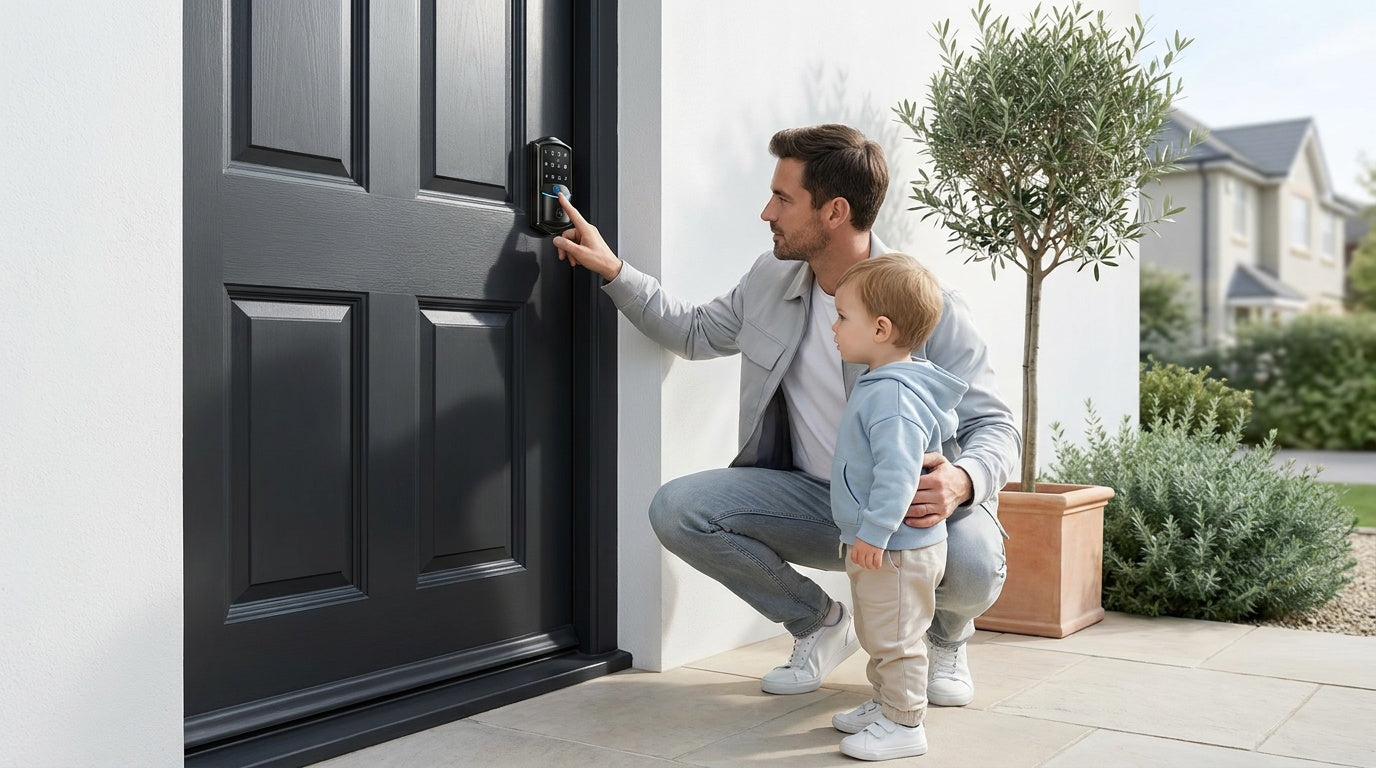
The front door is the most-used entry point in any home — and the most vulnerable one. Whether you're a new homeowner replacing an old deadbolt, a parent who wants to know the moment your kids get home from school, or a landlord managing a short-term rental from across town, the right smart lock changes how you interact with your home every single day.
The problem? The market is flooded with options, specs that don't translate to real life, and prices that can climb past $300 before you've even added connectivity. This guide cuts through all of that. We've built it around Veise — the #1-ranked smart lock brand on Amazon North America in both 2024 and 2025 — and its full lineup of front-door locks, priced between $30 and $180. Every pick installs in about 15 minutes with just a screwdriver, requires no subscription fees, and keeps fingerprint data stored locally on the lock itself.
Below you'll find 10 specific recommendations organized by lock type and use case, a practical buying guide to help you match the right lock to your door and lifestyle, and a FAQ section at the end. By the time you finish reading, you'll know exactly which lock belongs on your front door.
Why Upgrade to a Smart Lock?
A traditional deadbolt does one thing: it locks. A smart lock does that and lets you set unique codes for every family member, check who came and went while you were at work, lock up remotely when you forgot on the way out, and never scramble for a physical key at the door again. For parents, that means real-time peace of mind. For property owners managing a rental, it means full access control without a lockbox or a key handoff.
Smart locks have also become significantly more affordable and reliable. Veise, which has been manufacturing locks since 1988 and launched in North America in 2022, builds its own hardware from the ground up — no OEM middlemen — which keeps prices low without cutting corners on build quality. All Veise smart locks are ANSI/BHMA Grade 3 certified, the residential standard for door security, and come backed by US-based phone and email support with a local warehouse.
One important compatibility note before diving in: Veise locks are designed for standard wood doors with a thickness between 1‑3/8" and 2". They are not compatible with fiberglass, metal, storm, or sliding doors. Because Veise requires a full lock replacement (not a retrofit overlay like some brands), the installer must be the property owner or have authority to modify the door hardware.
What to Look for Before You Buy
Before you pick a lock, answer these four questions. They'll narrow your options from ten down to two or three in less than a minute.
1. Do You Need Remote Access?
If you want to lock or unlock your door from a different location — say, letting in a housecleaner while you're at the office, or checking whether the door is locked after you've already driven away — you need a smart lock with connectivity. That means either a Smart Lock w/ G1 or Smart Lock w/ G2 (gateway-paired) or a Wi-Fi Smart Lock. Remote access requires one of these smart lock types — a standard keypad lock cannot be paired with a gateway to add remote capability. If you only need local access (keypad code at the door), a Keypad Deadbolt or Keypad Latch Lock is simpler, more affordable, and just as reliable.
2. Do You Want Fingerprint Access?
Fingerprint entry is one of the most convenient unlock methods available — a touch of your finger and the door opens in under 0.3 seconds. Veise's fingerprint models use an AI-powered chip that processes and stores biometric data on the lock itself, with no cloud account required and no data leaving the device. Each finger is enrolled eight times to build a reliable template across angles and pressure. Not every Veise lock includes fingerprint: it's available on select Keypad Deadbolt models, all Smart Lock w/ G1 units, most Smart Lock w/ G2 units, and all Wi-Fi Smart Lock models. Keypad Latch Locks currently do not include fingerprint.
3. What's Your Budget?
Veise's lineup runs from $30 to $180, so there's a meaningful range to work with. Keypad Deadbolts and Keypad Latch Locks sit at the more affordable end. Gateway-paired smart locks and Wi-Fi smart locks sit at the mid-range. You are not paying a subscription fee for any Veise product — ever. That saves real money over time compared to platforms that charge monthly for features like access history or remote alerts.
4. Who Will Be Using the Lock?
A single adult or couple has very different needs than a household with kids, elderly parents, or frequent visitors. For families with children, a Wi-Fi smart lock or gateway-paired smart lock is the better choice because parents can review entry history and monitor lock activity through the app remotely. For households with elderly members, a model with multiple backup entry methods (fingerprint, code, physical key) reduces the risk of lockout. For short-term rental owners, remote app access and the ability to change codes between guests is essential.
The 10 Best Smart Locks for Front Doors
All ten picks below are from the Veise lineup. They're organized by product category so you can zero in on the right type for your situation, then choose the specific model that fits your needs. Every lock ships with everything needed for installation and replaces a standard single-cylinder deadbolt prep on a wood door.
1. Best Keypad Deadbolt (No Fingerprint): Keypad Deadbolt — RZ / KS01 Series
Best for: First-time smart lock buyers, budget-conscious homeowners, anyone who wants keyless entry without app setup.
If you're replacing a standard deadbolt and want a reliable keypad lock without any app or connectivity to configure, the RZ / KS01 series is the cleanest starting point in the Veise lineup. You set a code, share it with whoever needs it, and you're done. Every model includes physical keys as a backup. Select models in this line also come as handle-set bundles (lever or knob included), so you can replace both the deadbolt and handle hardware in one install.
- Unlock methods: Keypad code + physical key
- Remote access: No
- Voice control: No
- Auto lock: Yes, configurable between 10 and 99 seconds
- Install time: ~15 minutes with a screwdriver
Browse Keypad Deadbolt Locks →
2. Best Keypad Deadbolt with Fingerprint (Standalone): Keypad Deadbolt — KS02A Series
Best for: Households wanting fast biometric entry without buying a connected smart lock.
The KS02A is the fingerprint-only deadbolt in the KS02 line — no handle bundle, just the deadbolt with a built-in fingerprint reader and keypad. It's the right pick when you already have a door handle you like and just want to upgrade the deadbolt itself. The fingerprint scanner recognizes your print in under 0.3 seconds and stores multiple unique fingerprints on-device, so the whole family can enroll without relying on a cloud account or Internet connection. Physical key backup is included on all units.
- Unlock methods: Fingerprint + keypad code + physical key
- Remote access: No
- Voice control: No
- Auto lock: Yes, configurable between 10 and 99 seconds
- Install time: ~15 minutes with a screwdriver
Browse Keypad Deadbolt Locks →
3. Best Keypad Deadbolt with Fingerprint + Handle Bundle: Keypad Deadbolt — KS02B / KS02C / KS02D Series
Best for: Homeowners doing a full door hardware refresh — replacing both the deadbolt and the handle in one go.
The KS02B, KS02C, and KS02D form a complete handle-set family built around the same fingerprint keypad deadbolt platform, offering different exterior handle styles to match your door design.
- KS02B bundles a fingerprint keypad deadbolt with a matching lever handle
- KS02C pairs the same smart deadbolt with a classic knob set
- KS02D upgrades the look with a modern vertical handle design
If your door hardware is aging on both the deadbolt and handle, this series delivers a unified upgrade — everything matches, everything installs together. Like the KS02A, fingerprint data is stored locally on the lock, access is instant, and no subscription is required.
- Unlock methods: Fingerprint + keypad code + physical key
- Remote access: No
- Voice control: No
- Auto lock: Yes, configurable between 10 and 99 seconds
- Install time: ~15 minutes with a screwdriver
Browse Keypad Deadbolt Locks →
4. Best Keypad Latch Lock (Knob): Keypad Latch Lock — KS03
Best for: Interior doors, side doors, or entry doors where a separate deadbolt handles primary security and the latch lock handles everyday code-based access.
The KS03 is an integrated keypad latch lock with a built-in top knob. It's a single-unit replacement — no separate handle to install — and it runs on keypad code and physical key only. There's no fingerprint, no app, and no gateway to pair. That simplicity is its strength: this is the lock you reach for when someone needs easy code-based entry without you handing out a key, and you don't need the full feature set of a smart lock. It commonly fits side entrances, mudroom doors, garage entry doors, or interior rooms.
- Unlock methods: Keypad code + physical key
- Remote access: No
- Form factor: Integrated knob top handle
- Auto lock: Yes, configurable between 10 and 99 seconds
- Install time: ~15 minutes with a screwdriver
5. Best Keypad Latch Lock (Lever): Keypad Latch Lock — KS04
Best for: The same interior and secondary door scenarios as the KS03, for households that prefer a lever over a knob.
The KS04 shares the same integrated design as the KS03 but swaps the knob for a lever-style top handle. For anyone with limited grip strength — elderly family members, for example — a lever is meaningfully easier to operate than a knob, especially with full hands. Same keypad-plus-key setup, same simple install. The only difference between KS03 and KS04 is that handle shape, so your choice here comes down entirely to what feels right on your door.
- Unlock methods: Keypad code + physical key
- Remote access: No
- Form factor: Integrated lever top handle
- Auto lock: Yes, configurable between 10 and 99 seconds
- Install time: ~15 minutes with a screwdriver
6. Best Gateway-Paired Smart Lock (All-in-One): Smart Lock w/ G1 — VE017 Series
Best for: Homeowners who want remote access, fingerprint entry, multilingual voice prompts, and a USB-C emergency backup — all in a single, first-party supported product.
The Smart Lock w/ G1 is built on a single product series, the VE017, and it's the most complete all-in-one pick in the Veise gateway-paired lineup. Every VE017 unit ships with fingerprint as standard, multilingual voice prompts (English, Spanish, and French), and a Type-C emergency power port for situations where the battery is dead. Remote access works through the paired G1 gateway, which bridges the lock to the Internet and enables the app — built and supported directly by Veise — from anywhere with an active Internet connection. Even when Wi-Fi is down, app control continues to work locally as long as you're within short-range wireless distance of the lock. Voice control (Alexa and Google Assistant) is supported with the gateway in place.
This is the lock to recommend to multilingual households, families who want the security of knowing Veise built the app themselves, or anyone who values a single no-compromise pick without choosing between features. Key fob and physical key are both included as backup access methods on every unit.
- Unlock methods: Fingerprint + keypad code + key fob + physical key + remote app (via paired G1 gateway)
- Voice control: Alexa and Google Assistant (with gateway)
- Languages: English, Spanish, French
- Emergency power: Type-C USB port (on VE017 series)
- Auto lock: Yes, configurable between 10 and 180 seconds
7. Best Gateway-Paired Smart Lock (Fingerprint + Handle Options): Smart Lock w/ G2 — Fingerprint Models
Best for: Homeowners in English-speaking households who want fingerprint entry, Apple Watch unlock, or the flexibility to choose between standalone deadbolt and handle-set bundles.
The Smart Lock w/ G2 fingerprint line offers something the G1 does not: Apple Watch unlock. If your household is heavily invested in the Apple ecosystem, this is the pick. G2 series also gives you more SKU variety in fingerprint models — you can choose between a standalone deadbolt configuration or a handle-set bundle with a lever, vertical handle, or knob. Remote access works through the paired G2 gateway, and the lock supports keypad code, key fob, and physical key as backup methods alongside fingerprint and app control. Note that voice prompts on G2 serie are English only.
- Unlock methods: Fingerprint + keypad code + key fob + physical key + remote app (via paired G2 gateway) + Apple Watch unlock
- Voice control: Alexa and Google Assistant (with gateway)
- Languages: English only
- Form factor options: Standalone or handle-set bundle (lever / vertical / knob)
- Auto lock: Yes, configurable between 10 and 180 seconds
8. Best Gateway-Paired Smart Lock (Non-Fingerprint / Budget-Friendly): Smart Lock w/ G2 — Non-Fingerprint Models
Best for: Homeowners who want remote app access and voice control at a lower price point, without the fingerprint feature.
Not everyone wants or needs fingerprint entry, and the Smart Lock w/ G2 non-fingerprint line exists precisely for that. You still get remote app control through the G2 gateway, keypad code entry, key fob, and physical key backup — all the connectivity features of the G2 line, at a more accessible price. Web portal control, which lets you manage the lock from a computer browser rather than only a phone app, is also unique to G2 series (both fingerprint and non-fingerprint models). If your household is English-speaking and you want connected smart lock features without paying for biometrics you won't use, this is a smart value pick.
- Unlock methods: Keypad code + key fob + physical key + remote app (via paired G2 gateway) + Apple Watch unlock
- Voice control: Alexa and Google Assistant (with gateway)
- Languages: English only
- Unique features: Web portal control, Apple Watch unlock (on compatible G2 units)
- Auto lock: Yes, configurable between 10 and 180 seconds
9. Best Wi-Fi Smart Lock (Touchscreen): Touchscreen Wi-Fi Smart Lock — VE027 Series
Best for: Parents monitoring kids' arrivals, short-term rental owners managing guest access, and anyone who wants built-in Wi-Fi without a separate gateway device.
The Touchscreen Wi-Fi Smart Lock (VE027 Series) is the most connected lock in the Veise lineup, with built-in Wi-Fi that connects directly to your home router — no gateway hardware required. The touchscreen interface is intuitive for all ages, and the lock supports fingerprint, keypad code, app control, and voice commands via Alexa and Google Assistant natively through its built-in Wi-Fi. Voice prompts are available in three languages. Every VE027 unit also includes a Type-C emergency power port for situations where the battery is dead, making it a strong pick for households where a lockout would be genuinely disruptive (older family members, rental guests arriving late at night).
Battery endurance is a notable engineering detail here: the VE027 series uses 8 AA batteries instead of the standard 4 AA configuration found in most competing Wi-Fi locks. More cells means stronger signal, more stable connections, and a larger power reserve — particularly valuable for a lock running Wi-Fi around the clock. Even when Wi-Fi is temporarily down, if you're within short-range wireless distance, app control continues working locally so you're never locked out of management. Physical key backup and key fob are both included on all VE027 models.
- Unlock methods: Fingerprint + touchscreen keypad code + key fob + physical key + app control (built-in Wi-Fi) + voice (Alexa / Google Assistant)
- Remote access: Yes, via built-in Wi-Fi (no gateway needed)
- Emergency power: Type-C USB port
- Battery: 8 AA
- Languages: Three language voice prompts
- Auto lock: Yes, configurable between 10 and 180 seconds
10. Best Wi-Fi Smart Lock (Push-Button): Push-Button Wi-Fi Smart Lock — VE012W Series
Best for: Homeowners who want the full Wi-Fi smart lock experience with a traditional press-button keypad rather than a touchscreen.
The Push-Button Wi-Fi Smart Lock (VE012W Series) shares the core connectivity of the VE027 — built-in Wi-Fi, fingerprint reader, remote app control, Alexa and Google Assistant compatibility, and the same 8 AA battery design — but the two series differ in several concrete ways. The VE012W interface uses a traditional press-button keypad rather than a touchscreen; for some users, physical buttons are simply easier to use in the dark, with wet fingers, or when wearing gloves. Beyond the interface, the VE012W series does not support key fob, does not include on-device voice prompts, and does not include a Type-C emergency power port. If key fob, on-device voice prompts, or USB-C emergency backup matters to you, the VE027 series is the right choice.
- Unlock methods: Fingerprint + push-button keypad code + physical key + app control (built-in Wi-Fi) + voice (Alexa / Google Assistant)
- Remote access: Yes, via built-in Wi-Fi (no gateway needed)
- Battery: 8 AA
- Auto lock: Yes, configurable between 10 and 180 seconds
Quick Comparison: Which Veise Lock Is Right for You?
Still deciding? Here's a fast match-up by scenario:
| Your Situation | Recommended Pick |
|---|---|
| Simple keyless entry, no app needed | Keypad Deadbolt — RZ / KS01 Series |
| Fingerprint entry, no handle bundle | Keypad Deadbolt — KS02A Series |
| Full door hardware refresh (deadbolt + handle) | Keypad Deadbolt — KS02B / KS02C / KS02D Series |
| Interior / secondary door, knob style | Keypad Latch Lock — KS03 |
| Interior / secondary door, lever style | Keypad Latch Lock — KS04 |
| Remote access + fingerprint + multilingual household | Smart Lock w/ G1 — VE017 Series |
| Remote access + Apple Watch unlock | Smart Lock w/ G2 — Fingerprint Models |
| Remote access, no fingerprint needed, budget-conscious | Smart Lock w/ G2 — Non-Fingerprint Models |
| Parents monitoring kids, rental owners, no gateway wanted | Touchscreen Wi-Fi Smart Lock — VE027 Series |
| Full Wi-Fi features, prefer push-button interface | Push-Button Wi-Fi Smart Lock — VE012W Series |
Final Thoughts
Choosing a smart lock for your front door shouldn't mean choosing between affordability, reliability, and modern features. Veise's lineup proves you can have all three — from a no-fuss keypad deadbolt you can install before lunch to a fully connected Wi-Fi smart lock that lets you monitor your home from anywhere on the planet. Every lock in the lineup is built in Veise's own factory, backed by more than three decades of lock-making experience, and priced to stay well under what most competitors charge for comparable features.
Start with your use case, match it to the right category, and pick the specific model that fits your door and your household. Whether you're a parent who wants to know the kids got home safely, a new homeowner upgrading from a worn-out deadbolt, or a property owner managing guest access remotely — there's a Veise lock on this list built for exactly that situation.
Ready to explore the full lineup? Browse all Veise products →
Frequently Asked Questions
What is the best smart lock for a front door?
The best smart lock for a front door depends on your needs. For most homeowners, a Keypad Deadbolt with fingerprint access delivers the right balance of security, simplicity, and price. If you want remote access from anywhere, a Wi-Fi Smart Lock is the cleanest choice — no extra gateway device required. Veise offers both, priced between $30 and $180, with no subscription fees and a 15-minute install.
Do smart locks work without Wi-Fi?
Yes. Keypad Deadbolts and Keypad Latch Locks operate entirely offline — no Wi-Fi, app, or hub of any kind is required. Gateway-paired smart locks and Wi-Fi smart locks can still be unlocked via keypad, fingerprint, key fob, or physical key when Wi-Fi is unavailable. Additionally, even when Wi-Fi is down, app control continues to work locally as long as you're within short-range wireless distance of the lock. Only long-distance remote features (remote locking from outside the home, off-site notifications) require a live Internet connection.
Are Veise smart locks compatible with Alexa and Google Assistant?
Voice assistant compatibility depends on the lock type. Wi-Fi Smart Locks support Alexa and Google Assistant natively through their built-in Wi-Fi. Smart Locks w/ G1 or G2 support voice control when the paired gateway is in place — the gateway bridges the lock to the voice assistant. Keypad Deadbolts and Keypad Latch Locks do not support voice control, as they have no wireless connectivity.
What doors are Veise smart locks compatible with?
Veise locks are designed for standard wood doors with a thickness between 1‑3/8" and 2". They are not compatible with fiberglass, metal, storm, or sliding doors. Because installation requires a full lock replacement, the property owner (or someone with authority to modify door hardware) must perform the install.
Do Veise smart locks require a monthly subscription?
No. None of Veise's smart locks require a subscription fee of any kind. Access history, remote control, fingerprint storage, and app features all come included with the lock at no recurring cost. Fingerprint data is stored locally on the lock hardware itself — it never leaves the device or requires a cloud account.
How long does it take to install a Veise smart lock?
Most Veise locks install in approximately 15 minutes using just a screwdriver — no wiring, no professional help required. The lock replaces your existing single-cylinder deadbolt or latch lock using standard door prep. Veise is backed by US-based phone and email support, so if you run into any questions during install, help is available.
What is the difference between a Smart Lock w/ G1 and a Smart Lock w/ G2?
Both lines offer remote app control through a paired gateway, along with keypad code, key fob, and physical key entry. The key differences: the Smart Lock w/ G1 (VE017 series) includes fingerprint, multilingual voice prompts (English, Spanish, French), and a Type-C USB emergency power port as standard on every unit, and uses a Veise-developed app. The Smart Lock w/ G2 adds Apple Watch unlock and web portal control as unique features, supports English voice prompts only, and offers both fingerprint and non-fingerprint model options. For most households, G1 series is the stronger all-in-one pick; choose G2 series specifically for Apple Watch unlock or when a non-fingerprint option is preferred.
What ANSI/BHMA grade are Veise smart locks?
Veise smart locks are ANSI/BHMA Grade 3 certified, which is the standard for residential door security. ANSI/BHMA Grades 1 and 2 are designed for high-traffic commercial settings — they're not a "higher quality" tier for home use, just built for different environments. Grade 3 is the correct and appropriate certification for a front door lock in a residential home.
Not Sure Which Lock Is Right for Your Door?
Our team is happy to help you choose the right Veise lock for your door type, household, and budget. US-based support — real people, real answers.
Contact Us →

Leave a comment
This site is protected by hCaptcha and the hCaptcha Privacy Policy and Terms of Service apply.