
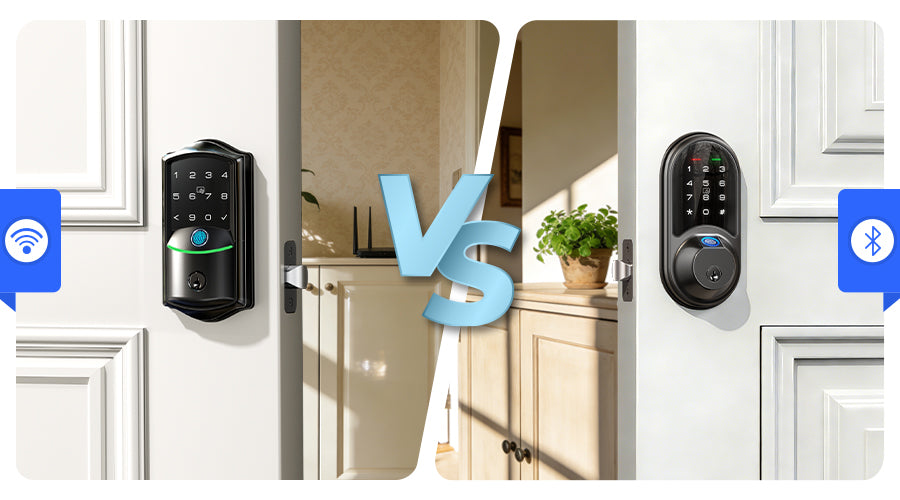
A smart lock for homeowners should simplify your life, not complicate it. If you're considering keyless entry for your home, understanding the differences between types of smart locks is the first step toward a practical, lasting upgrade.
What Is a Wi-Fi Smart Lock?
A Wi-Fi smart lock connects directly to your home's 2.4 GHz Wi-Fi network, allowing you to lock, unlock, and manage access remotely from anywhere via a smartphone APP. Unlike Bluetooth-only models, it doesn't require a separate hub to enable remote functions.
Wi-Fi vs. Bluetooth Smart Locks: A Quick Comparison
|
Feature |
Wi-Fi Smart Lock |
Bluetooth Smart Lock |
|
Remote Access |
Yes, from anywhere with internet |
Only within ~30–50 ft range |
|
Hub Required |
Usually not |
Often needed for remote use |
|
Power Use |
Moderate (Wi-Fi uses more power) |
Lower (Bluetooth is energy-efficient) |
|
Best For |
Remote control, access logs, guest access |
Local keyless entry, longer battery life |
In short: choose Wi-Fi if you want to check or control your door while away; choose Bluetooth if you mainly need hands-free entry when you're home.
Is a Wi-Fi Smart Lock Right for You?
Good fit if you:
- Need to manage access for family or frequent visitors
- Want remote control and door status checks from your phone
- Use voice assistants (Alexa/Google Assistant)
- Prefer simple, hub-free setup
Consider alternatives if you:
- Manage short-term rentals needing professional systems
- Have non-standard doors (consult a locksmith first)
- Are happy with physical keys and don't need remote features
- Have weak Wi-Fi signal at your door
Key Factors When Choosing a Wi-Fi Smart Lock
Focus on these five practical areas to pick a lock that fits your daily life:
1. Reliability & Offline Access: Your lock should work even when the Wi-Fi is down. Look for models with instant offline methods like a fingerprint sensor or keypad, plus a physical key backup. A reliable lock operates seamlessly offline and syncs access logs once reconnected. Tip: Check your Wi-Fi signal strength at the door before buying.
2. Smart Access Management: Real convenience comes from controlling who enters and when. Choose a lock that lets you create unique, temporary codes for guests or service providers right from the APP, with customizable schedules. This eliminates spare-key hassles and adds security through tracked access.
3. Versatile Entry & Easy Setup: When your hands are full, multiple entry options make life easier. Pick a lock that supports fingerprint, code, APP, or voice commands. Ensure it fits your door (standard backsets are 2-3/8″ or 2-3/4″) for a straightforward DIY installation.
4. Integration & Insights: A clear, intuitive APP acts as your command center. It should provide time-stamped entry logs, custom alerts, and support for automations like turning on lights when unlocked. Compatibility with Alexa or Google Assistant adds hands-free convenience.
5. Battery Life & Proactive Alerts: Avoid lock-outs. Choose a lock that gives clear advanced warnings, both an audible alert at the door and a push notification to your phone. With typical battery life of 6–12 months, this feature is essential for peace of mind.
Finding Your Veise Match: Which Model Suits Your Door & Lifestyle?
Choosing the right home security smart lock comes down to matching features with your daily life. Here are the three hub-free models from Veise.


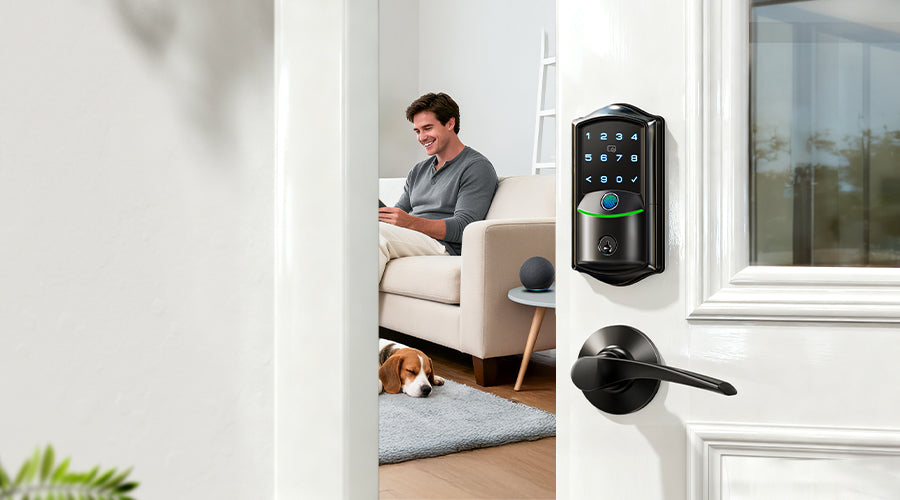
-For Effortless Accessibility (VE029): Need a lock that's easy for everyone? The VE029 has you covered. Its lever handle is naturally easier to grip and push down, making it ideal for elders, kids, or when your hands are full. You get all the same smart features in a more accessible form.

All three models provide: Direct Wi-Fi (no extra hub), weather-resistant build, Alexa/Google Assistant support, and multiple entry options for every family member.
If you want true remote access, flexible management, and a design that fits your home, the Veise Wi-Fi series offers a reliable, user-focused solution. For the next step, visit the official product pages to compare detailed specifications, check verified customer reviews, and use the online compatibility guide to ensure it fits your door and Wi-Fi network seamlessly.

Leave a comment
This site is protected by hCaptcha and the hCaptcha Privacy Policy and Terms of Service apply.