
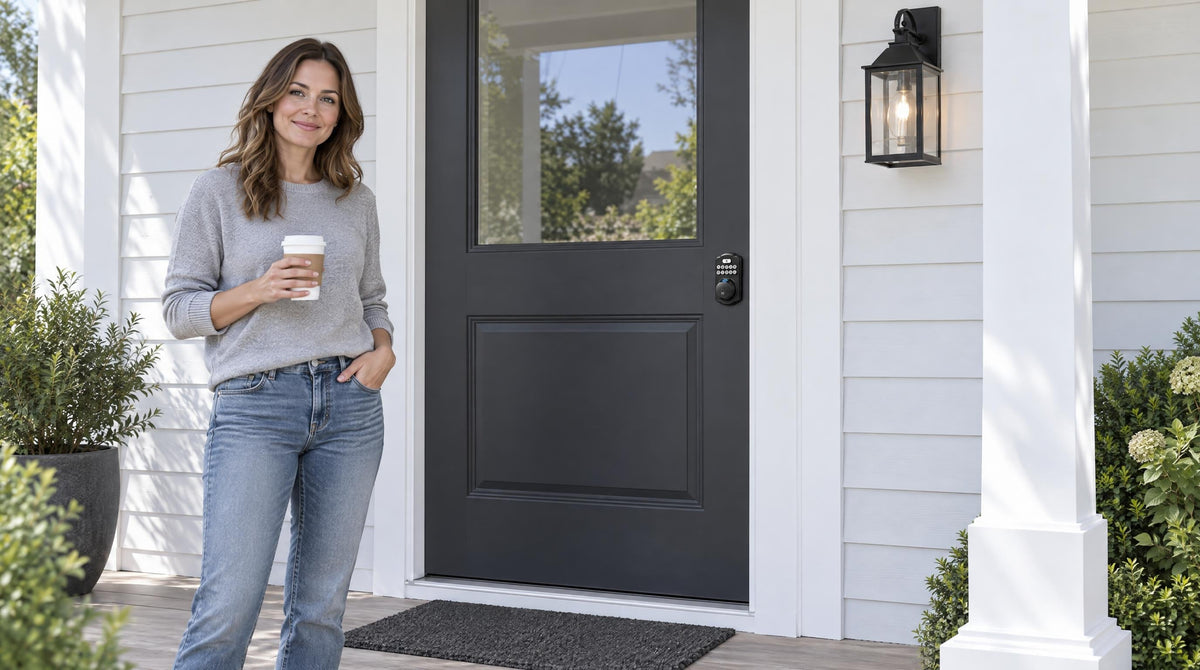
You're heading out the door, running five minutes late, and your keypad lock makes an unfamiliar sound. A few short beeps. A red flash. You punch in your code — nothing. The battery is dead.
It's one of those small home problems that feels minor until it happens at the worst possible moment. The good news: door lock battery replacement is a genuinely simple task when you know what to look for and what to do. This guide walks you through every stage — the early warning signs you shouldn't ignore, a clear step-by-step replacement process, and honest advice on which batteries actually perform well in a smart lock. Whether you have a basic keypad deadbolt or a fully connected Wi-Fi smart lock, you'll find exactly what you need here.
Why Your Lock's Battery Is More Important Than You Think
A door lock is only as reliable as the power source behind it. Unlike a TV remote, where dead batteries just mean inconvenience, a dead lock battery can leave you standing outside your own home — or, in the case of a rental property or second home, leave guests stranded far from help. Smart locks and keypad deadbolts are designed with that reality in mind: they give you early warnings, multiple backup options, and an interior-side battery compartment you can access quickly. But the system only works if you pay attention to the signals your lock is already sending you.
Most residential door locks — whether a simple keypad deadbolt, a keypad latch lock, or a full Wi-Fi smart lock — run on AA/LR6 alkaline batteries (not included in the box). Understanding how and when those batteries behave is the foundation of easy, stress-free home entry.
Warning Signs Your Door Lock Battery Is Running Low
Smart locks are generally good communicators — they don't go silent until the very end. Here are the most common signals that a replacement is coming due:
- Voice or beep prompt at the lock: Veise locks give a voice prompt or a series of short beeps (varies by model) when you enter a code or lock the door. This is typically the first and clearest low-battery alert you'll notice.
- Indicator light: Alongside the prompt, the lock's indicator light signals a low battery state (often flashing red).
- App notifications: If you have a Wi-Fi smart lock or a Smart Lock w/ G1 or Smart Lock w/ G2 paired with a gateway, the mobile app will typically push a low-battery alert well before the battery fails. Don't dismiss these notifications — they're buying you time.
If you notice any of these signs, treat it as a prompt to replace batteries within the next few days — not a reason to wait and see what happens next. A proactive swap takes five minutes; getting locked out takes much longer to resolve.
What Happens When the Battery Dies Completely
If the warnings go unanswered and the battery runs flat, smart features stop working first. Remote app access goes offline, voice assistant commands won't register, and the keypad may not light up at all. For connected locks (gateway-paired or Wi-Fi), the lock essentially goes dark from a remote standpoint.
The important thing to know is that you still have ways to get back in. Every Veise lock includes a physical key backup, so you're never fully locked out as long as you know where your backup key is stored. Every VE017 series and VE027 series model also includes a USB-C emergency power port — when the battery is completely dead, you can connect a USB-C power bank to the port to supply power, enter your keypad code, and get inside. Once you're in, replace the batteries before relocking.
The key takeaway: a dead battery is an inconvenience, not an emergency — provided you've kept your physical backup key accessible and know your lock's emergency options.
Before You Start: What You'll Need
Battery replacement on most door locks requires nothing specialized. Gather these items before you begin:
- A fresh set of AA/LR6 alkaline batteries — Veise locks don't ship with batteries, so pick up a set before you start (see the buying guide below)
- No tools — Veise battery covers slide off by hand
- A clean, dry cloth for wiping the compartment
- Your lock's user manual if you're unsure about the cover release mechanism
One important habit before any battery swap: make sure the door is in the unlocked position before you start. If something goes wrong mid-replacement — you drop a battery, or the lock briefly loses power — you want to be on the right side of the door with the latch still retracted.
Step-by-Step: How to Replace Your Door Lock Battery
The battery compartment on residential door locks is always located on the interior assembly — the side of the lock you see from inside the house. Beyond that common starting point, the exact cover design varies by lock category. The steps below follow the same logical sequence regardless of your lock type.
- Unlock the door and stay inside — Retract the bolt completely and remain on the interior side throughout the process. This is the single most important safety step.
- Locate the battery compartment cover — On most keypad deadbolts and keypad latch locks, the cover is on the interior face of the lock body. It slides off — look for the release direction indicated on the cover. On Veise Wi-Fi smart locks and Smart Lock w/ Gateway 1/2, the interior battery cover slides off the same way. Consult your manual if the release isn't immediately obvious — avoid prying with a metal tool, which can crack the casing.
- Remove the old batteries all at once — Take out the entire set together, even if you suspect only one cell has failed. Mixing new and old batteries creates uneven discharge and can reduce the life of your fresh batteries significantly.
- Inspect and clean the compartment — Before inserting new batteries, quickly check the contacts. Wipe out any dust with a dry cloth. If you see white or bluish residue — a sign of battery leakage or corrosion — clean the contacts carefully. A cotton swab lightly dampened with white vinegar can neutralize alkaline residue; dry the area completely before proceeding.
- Insert new batteries, matching the polarity markings — Every compartment shows + and − markings. Follow them exactly. Insert all batteries as a matched set — the same brand and type across the full pack.
- Resecure the cover — Slide the cover back on until it seats firmly.
- Test before you walk away — Enter your keypad code, check the lock's response, and cycle the bolt open and closed at least once while the door is open. If your lock uses an app, check that the battery level has updated. Only close the door once you've confirmed everything is working correctly.
For Wi-Fi smart locks specifically — including the VE027 series Touchscreen and VE012W series Push-Button models — the lock uses 8 AA batteries instead of the more common 4 AA configuration. This larger battery pack delivers stronger, more stable connectivity and a longer-lasting power reserve. Installing all 8 batteries at the same time from a matched set is especially important for consistent Wi-Fi performance.
What Batteries to Buy (and What to Avoid)
Battery selection makes a real difference in how long you go between replacements and how reliably your lock performs. Here's a practical breakdown:
AA/LR6 Alkaline Batteries — The Only Choice for a Veise Lock
AA/LR6 alkaline batteries are what Veise specifies — every current Veise lock is built for this chemistry, and the batteries are not included in the box. They're available everywhere, easy to keep as a spare set, and work reliably on entry doors year-round. Stick with reputable name brands rather than generic no-label batteries — better-made alkaline cells have more consistent voltage output and are significantly less prone to leaking inside the compartment, which can damage the contacts over time.
Lithium AA Batteries — Industry Context, Not for Veise Locks
You'll see lithium AA cells marketed for cold climates and vacation properties because they hold a steadier voltage. That is general industry context only — Veise hardware is specified for AA/LR6 alkaline, so don't substitute lithium in a Veise lock. If your door faces harsh winters, plan to swap in fresh alkaline cells more often through the coldest months.
NiMH Rechargeable Batteries — Not Supported
Standard NiMH rechargeable AA batteries have a nominal voltage of 1.2V rather than the 1.5V that smart locks are designed around. This mismatch can trigger premature low-battery warnings or cause unreliable performance, even when the cells still have plenty of charge remaining. Veise locks are specified for AA/LR6 alkaline only, so skip rechargeable cells of any kind.
The Golden Rule: Replace All Batteries Together
Whatever battery type you choose, always replace the full set at the same time. Mixing batteries of different brands, types, or charge levels creates unbalanced discharge patterns that reduce overall battery life and can accelerate leakage in the weaker cells. Buy in a pack large enough to cover your lock's full requirement — 4 AA for Veise keypad deadbolts, keypad latch locks, and Smart Lock w/ Gateway 1/2 models, 8 AA for Veise Wi-Fi smart locks — and replace all of them in one go.
How to Make Your Batteries Last Longer
Replacing batteries is unavoidable, but a few habits can push the interval noticeably further:
- Keep a spare set on hand: Store a fresh pack of batteries near your front door — not in a garage or basement where temperature swings can pre-drain them before they're even installed. When your lock gives its first low-battery alert, the swap should be immediate, not a trip to the store.
- Use your lock's auto lock feature wisely: Auto lock is a convenience feature that automatically re-engages the lock after a set interval — on Veise locks, configurable between 10 and 99 seconds on Keypad Deadbolt and Keypad Latch locks, and 10 to 180 seconds on connected models. Setting it shorter than necessary means the motor runs more often, drawing more power. Match the interval to your real daily routine.
- Keep the contacts clean: Dust and corrosion on battery contacts increase electrical resistance, which forces the batteries to work harder. A quick wipe during each replacement goes a long way.
- Avoid temperature extremes where possible: Extreme cold drains alkaline batteries faster. If your door lock is exposed to harsh winter conditions, plan to swap in fresh alkaline cells more often — don't substitute lithium in a Veise lock.
- Update firmware when prompted: Software updates for connected locks often include power-management optimizations that can reduce unnecessary battery draw in the background.
- Set a calendar reminder: Even without any visible warning sign, a periodic check-in — looking at the app battery indicator or doing a quick performance test — catches a weakening battery well before it becomes a lockout.
Choosing a Smart Lock Built with Battery Life in Mind
Not every smart lock is built the same way, and battery engineering is one area where design choices matter from day one. Veise — built on Kaadas Group's 38 years of lock industry expertise and 711 patents, the world's largest smart lock patent portfolio — approaches battery management as a foundational design priority, not an afterthought. With 10M+ smart locks sold across 41+ countries and recognition by Frost & Sullivan as the global No.1 high-end smart lock brand by sales, Veise's engineering depth shows in real-world details that owners notice: stable motor performance throughout the battery cycle, reliable low-battery alerts before any failure point, and backup options that mean a dead battery is never a full lockout.
The Veise lineup is organized into four main categories, each with distinct battery considerations:
- Keypad Deadbolt Locks — Run on AA/LR6 alkaline batteries. All models support keypad code entry and include a physical key backup; the KS02 series adds fingerprint access. A reliable, low-maintenance choice for a primary exterior door that doesn't need remote control.
- Keypad Latch Locks — The KS03 (integrated knob) and KS04 (integrated lever) run on AA/LR6 alkaline batteries and offer keypad code plus physical key backup, with no wireless connection to set up.
- Smart Lock w/ G1 and Smart Lock w/ G2 — Gateway-paired smart locks add remote app control, key fob access, voice assistant support (via the paired gateway), and fingerprint on many models. Smart Lock w/ G1 (one series — the VE017) includes multilingual voice prompts in English, Spanish, and French, a USB-C emergency power port, and fingerprint as standard across all SKUs, with a Veise-developed first-party app. Smart Lock w/ G2 adds Apple Watch unlock and web portal control. Remote access requires a smart lock paired with a gateway — a Keypad Deadbolt or Keypad Latch lock cannot be added to a gateway.
- Wi-Fi Smart Lock — The VE027 series (Touchscreen, with a USB-C emergency power port, key fob support, and on-device voice prompts) and VE012W series (Push-Button, without those extras) both use 8 AA batteries for stronger signal stability and a larger power reserve than the typical 4 AA Wi-Fi lock. Both support remote app control, Alexa and Google Assistant voice commands via built-in Wi-Fi, fingerprint, keypad code, and physical key backup. For families with children, a Wi-Fi smart lock or gateway-paired smart lock is the right pick — parents can review entry history and monitor lock activity remotely from the app.
Every Veise lock carries ANSI/BHMA Grade 3 certification — the standard for residential security — and installs in about 15 minutes with a screwdriver, no wiring and no professional help required. Prices range from around $30 to $180, putting reliable, well-engineered home security firmly in reach for most families. Easy from Day One.
The Bottom Line
Door lock battery replacement doesn't need to be reactive or stressful. Your lock is already designed to warn you well in advance — the key is knowing what signals to watch for and acting on them promptly. With the right batteries in place, a clean compartment, and a spare set nearby, you can go from low-battery alert to fully powered lock in under five minutes. If you're in the market for a new lock, choosing one with clear low-battery alerts, multiple backup entry options, and an accessible battery compartment design makes the whole process even more effortless — exactly the kind of home entry experience every family deserves.
Frequently Asked Questions
How long do door lock batteries typically last?
It depends on usage frequency, battery quality, and temperature, so there's no single figure. What matters more is that Veise locks warn you well before the cells run flat — a voice or beep prompt plus an indicator light at the lock, and an app push notification on Smart Lock w/ Gateway 1/2 and Wi-Fi smart locks — so you can swap on the first warning rather than tracking a calendar. Veise Wi-Fi smart locks use an 8 AA design for a longer-lasting power reserve.
What type of batteries are best for a smart lock?
For a Veise lock, AA/LR6 alkaline batteries from a reputable brand — every current Veise lock is specified for alkaline cells, and they aren't included in the box. Lithium AA cells are marketed for cold climates in the wider industry, but they aren't supported in Veise hardware, so don't substitute them; swap in fresh alkaline cells more often through the winter instead. Skip NiMH rechargeables too — their 1.2V output is below the 1.5V the lock is designed around.
What happens if my smart lock battery dies while I'm outside?
You still have options. Every Veise lock includes a physical key backup — keep that key accessible. If your lock's battery is completely dead and you don't have a key handy, every VE017 series and VE027 series model includes a USB-C emergency power port. Connect a USB-C power bank to the port to supply power, then enter your keypad code to gain entry. Once inside, replace the batteries before you leave again.
Can I mix old and new batteries in my door lock?
No. Always replace the entire set of batteries at the same time, using the same brand and type throughout. Mixing old and new batteries — or batteries from different brands — creates uneven discharge patterns that reduce the life of the fresh cells and increases the risk of leakage from the weaker ones. The few minutes you save by replacing only some of the batteries will cost you a shorter replacement interval and a messier compartment down the road.
How do I know what battery type my door lock uses?
Every Veise lock uses AA/LR6 alkaline batteries: 4 AA on Keypad Deadbolt, Keypad Latch, and Smart Lock w/ Gateway 1/2 models, and 8 AA on Wi-Fi smart locks. Your lock's user manual specifies the exact requirement for your model.
Do I need to reset my lock after changing the batteries?
No. Veise locks retain their settings (codes, fingerprints, preferences) after a battery swap and don't require a reset. If a connected lock shows as offline in the app afterward, restart the gateway (Smart Lock w/ Gateway 1/2) or your Wi-Fi router (Wi-Fi smart locks) and confirm the lock is within range. After any battery change, always cycle the bolt open and closed once while the door is open to confirm everything is operating correctly before closing the door behind you.
Ready to Upgrade Your Home Entry?
Explore Veise's full range of smart locks, keypad deadbolts, and home security hardware — backed by 38 years of lock industry expertise and 711 patents — the world's largest smart lock patent portfolio. Every model installs in about 15 minutes, no wiring required.
Shop All Veise LocksHave questions about which lock fits your door? Contact the Veise team.

Leave a comment
This site is protected by hCaptcha and the hCaptcha Privacy Policy and Terms of Service apply.