
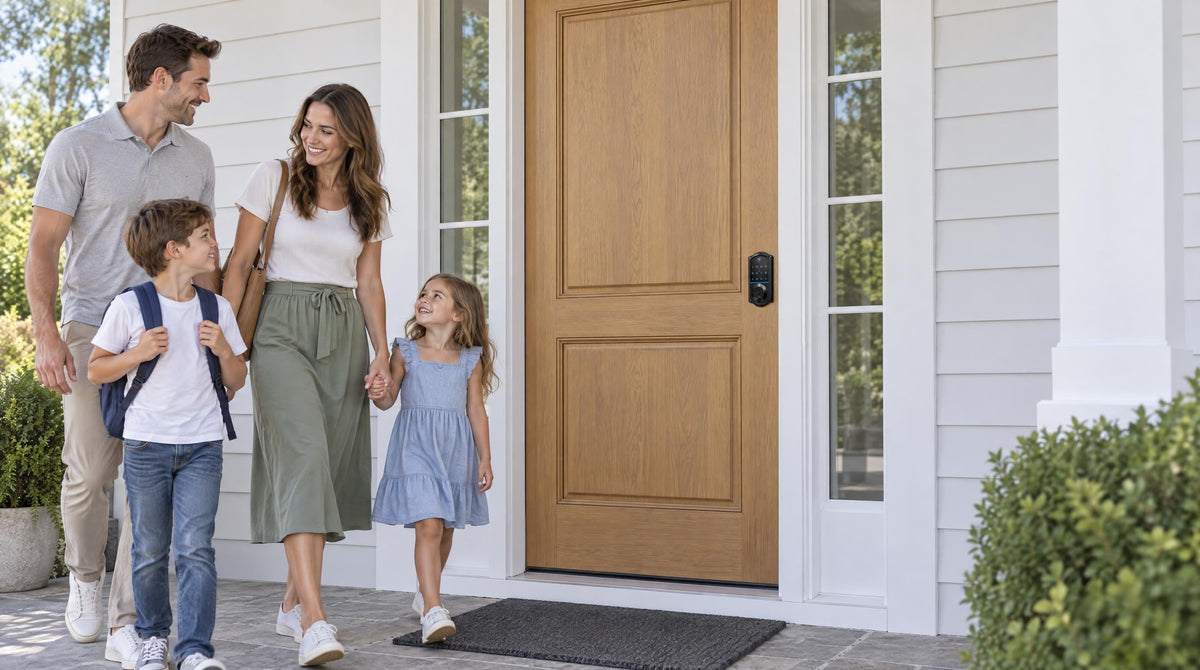
Picture this: you're walking up to your front door, arms full of groceries, and your phone is buried somewhere at the bottom of your bag. No fumbling for keys. No waiting for a Bluetooth signal to wake up. You punch in your code, hear the bolt retract, and you're in. That's the promise of a smart lock with a keypad — and it's a promise that holds up every single time.
In a market flooded with face scanners, auto-unlock apps, and palm recognition technology, it's easy to assume that the humble keypad has been left behind. It hasn't. In fact, code entry remains the most universally reliable, accessible, and practical way to open a door — whether you're a parent managing a busy household, a property owner running a short-term rental, or simply someone who doesn't want their front door dependent on a Wi-Fi signal. This article breaks down exactly why keypad code entry still wins, where it fits best, and how to find the right keypad lock for your home.
Why Code Entry Has Stood the Test of Time
The keypad lock has been a fixture in schools, hospitals, and offices for decades, and there's a simple reason it hasn't been replaced: it works. A numeric code doesn't need a battery in your phone, a stable Wi-Fi connection, or a perfectly dry fingertip. It works in freezing temperatures, during power outages, and for everyone from a six-year-old coming home from school to a grandmother who's never touched a smartphone. That kind of universal reliability is harder to engineer than it sounds, and most competing access methods simply don't match it.
What's changed in recent years isn't the concept — it's the execution. Modern smart locks with keypads have evolved far beyond mechanical push-buttons. Today's keypad locks offer touchscreen and push-button interfaces, anti-peep code entry to defeat shoulder-surfing, multiple stored user codes, and auto lock features that secure the door automatically after entry. The keypad is no longer just a fallback; it's often the fastest, cleanest, and most inclusive access method on the market. For a lock built on 38 years of lock industry expertise and 711 patents — the world's largest smart lock patent portfolio — getting the keypad experience right isn't an afterthought. It's the foundation.
Keypad vs. App-Only vs. Biometric: An Honest Comparison
Every access method has a place, and none is perfect in every situation. But a side-by-side look at real-world behavior makes a strong case for why keypads anchor most households' security strategy — even when other methods are available alongside them.
Keypad Code Entry
Code entry works completely offline. There's no dependency on a smartphone, a gateway, a Wi-Fi network, or a cloud server. Anyone who knows the code can enter — no app download required, no biometric enrollment necessary. Codes can be changed instantly when access needs to be revoked, which is far simpler than re-keying a mechanical lock. The main consideration is code hygiene: using a strong, non-obvious PIN and changing it periodically keeps the system secure. Anti-peep code entry — padding your real PIN with random extra digits before or after it — takes care of the shoulder-surfing and smudge-pattern risk on every Veise lock.
App-Only Entry
App-based unlocking is powerful for remote access and monitoring, but it introduces dependencies that purely local entry avoids. The app requires an Internet connection for remote commands, a charged and functioning phone, and — depending on the lock — either a paired gateway or built-in Wi-Fi to bridge the phone to the lock. For everyday household entry, most people find that requiring a phone to be in hand and operational is a meaningful friction point, especially for children, older family members, or guests who may not have the right app installed. App control shines as a management layer on top of keypad entry, not as a standalone replacement for it.
Biometric (Fingerprint) Entry
Fingerprint scanning at under 0.3 seconds is genuinely fast and hands-free once enrolled. It's an excellent complement to a keypad. The limitation is that every person who needs regular access must register their finger directly at the lock — making it less practical for one-time guests, service providers, or cleaners. Wet hands, dirty fingers, gloves, or worn fingertips can also affect read consistency depending on conditions. For this reason, even biometric-forward locks almost universally include a keypad as a backup or parallel method. A code is always the universal fallback, which tells you something about its staying power.
The honest takeaway: no single access method is ideal for every situation. But the keypad is the one method that's universally accessible, condition-independent, and share-friendly without requiring enrollment or a device. That's why it anchors every serious smart lock lineup — including all four categories in the Veise range.
Where Keypad Code Entry Wins in Real Life
Families With Kids
Kids lose keys. It's practically a rite of passage. A keypad lock removes that problem entirely: your child memorizes a four- to ten-digit code and gets in reliably, every time, without a smartphone or a key ring. You can set a unique code just for them, which means if they share it with a friend, you can change it without affecting the rest of the household's access. For parents who also want to know when kids arrive home, a Wi-Fi smart lock or a Smart Lock w/ G1 adds app-based entry history and real-time alerts on top of the keypad — giving parents visibility without forcing kids to manage a phone to get through the door.
Short-Term Rentals and Property Managers
For anyone managing a vacation home, short-term rental, or investment property, keypad code entry is close to essential. Guests can be texted a unique four- to ten-digit code before they arrive — no key exchange, no lockbox, no waiting around at the property. On Smart Lock w/ G1 and Wi-Fi smart locks, a Duration code can be set to expire automatically at checkout; on a Keypad Deadbolt, you simply change the code between guests, and a fresh code is issued for the next guest within seconds. Cleaning staff, maintenance workers, and co-hosts can each have their own distinct codes, so entry records remain trackable. A keypad deadbolt handles the security layer on the main entry door, and if the property owner wants remote monitoring too, upgrading to a Wi-Fi smart lock keeps the same keypad experience while adding app-based oversight from anywhere.
Accessibility for Older Adults
A physical key requires fine motor control and good lighting to line up with a keyhole — challenges that become more significant with age. A keypad with large, clearly labeled digits is far more accessible for older adults, removing a daily frustration without requiring any technology beyond remembering a number. No app to learn, no fingerprint to enroll, no device to keep charged. For households where multiple generations share a home, a keypad-based lock is often the most inclusive choice available.
Situations Without Reliable Internet
Rural homes, basement apartments, garages, and outbuildings often have spotty or absent Wi-Fi coverage. A keypad latch lock or a keypad deadbolt works entirely offline — no gateway, no signal, no cloud dependency. Entry is always local, always instant, and completely unaffected by network outages. This makes keypad-first locks a practical, low-maintenance choice for any access point where running reliable connectivity would be inconvenient or costly.
Is Keypad Entry Actually Secure?
The most common concern about keypad locks is code security — the fear that someone could guess the PIN, observe it being entered, or detect it from smudge patterns on the keypad. These are real considerations, but they're easy to address with a few simple habits. Using a longer code (Veise locks accept 4 to 10 digits), avoiding obvious combinations like birth years or repeating numbers, and changing codes periodically (particularly after sharing with a temporary user) keeps the risk negligible. Many modern keypads, including those in the Veise lineup, incorporate an auto lock function configurable between 10 and 99 seconds on Keypad Deadbolt and Keypad Latch locks (10 to 180 seconds on connected models), which means the door secures itself automatically even if someone walks away without manually locking it. Every Veise lock also pauses automatically for 3 minutes after 10 wrong attempts, so code-guessing at the keypad gets nowhere.
On the physical security side, Veise keypad locks are ANSI/BHMA Grade 3 certified — the recognized residential standard for deadbolt durability and resistance to forced entry. This certification reflects the real-world demands of a family home: consistent daily use, resistance to casual forced entry, and hardware that holds up over years without degrading. For a deeper layer of protection, Veise's keypad deadbolt models with fingerprint scanning store biometric data entirely on the device — no cloud uploads, no third-party servers, and no Internet account required to keep access working. The result is a lock that's secure in both its software behavior and its physical construction.
One more important safety feature worth noting: every Veise keypad lock includes a physical key backup as standard. Battery-powered electronics can and do reach low charge at inconvenient times, and having a mechanical override available means a dead battery never means being locked out. Every Veise lock provides a low-battery alert well before power runs out, giving plenty of time to swap cells before it becomes an issue.
How Veise Builds Code Entry Into Every Lock Category
One of the clearest signals that code entry is indispensable is that Veise — a brand built on Kaadas Group's 10M+ smart locks sold across 41+ countries — includes a keypad in every single lock category it offers. Whether you want a purely local offline lock or a fully connected smart lock with remote monitoring and voice assistant support, the keypad code is always there as a reliable, condition-independent entry method. Here's how that plays out across the four Veise categories:
Keypad Deadbolt Locks
The keypad deadbolt is the most direct expression of the Effortless Home Entry™ philosophy: a full deadbolt replacement that installs in about 15 minutes with just a screwdriver, no wiring and no professional help needed. All models support keypad code entry plus a physical key backup. Every model in the KS02 series adds fingerprint recognition (under 0.3 seconds) for hands-free speed, while non-fingerprint models in the RZ and KS01 series offer a streamlined, code-focused experience. This is the right pick for front and back doors where deadbolt security is the priority and app connectivity isn't needed.
Keypad Latch Locks
The keypad latch lock is an integrated unit — the handle and lock are built into a single body — available in a knob-top (KS03) or lever-top (KS04) version. These two SKUs support keypad code and physical key entry only, making them an ideal fit for interior doors, side entries, garage doors, or any access point where the primary need is code-based convenience without app connectivity. This sits at the accessible end of Veise's $30–$180 lineup, making it one of the most affordable ways to add keypad entry to a secondary door.
Smart Locks w/ Gateway 1/2
The gateway-paired lines — Smart Locks w/ G1 and Smart Locks w/ G2 — add remote app control, entry history, and voice assistant capability to the keypad foundation. All models in both lines support keypad code, key fob, physical key, and remote app control via the paired gateway. Most models also include fingerprint. Smart Lock w/ G1 (one series — the VE017) adds multilingual voice prompts in English, Spanish, and French alongside a USB-C emergency power port as standard across all SKUs — making it a strong all-in-one pick for multilingual households or anyone who wants maximum built-in backup options. Smart Lock w/ G2 (VE0/RZ0 series) supports Apple Watch unlock and web portal control, with both fingerprint and non-fingerprint SKU options. Voice control via Alexa or Google Assistant is available on both lines when the paired gateway is in place. Even if Wi-Fi goes down, app control continues to work locally as long as you're within short-range wireless distance of the lock.
Wi-Fi Smart Locks
The Wi-Fi smart lock range brings full remote access, real-time entry alerts, Alexa and Google Assistant voice control, and app-based management — all without needing a separate gateway. Two series are available: the Touchscreen Wi-Fi Smart Lock (VE027 Series), which also includes a USB-C emergency power port, key fob support, and on-device voice prompts in English, Spanish, and French, and the Push-Button Wi-Fi Smart Lock (VE012W Series), which uses a traditional press-button keypad and has none of those extras. Both series include keypad code, fingerprint, remote app control, and physical key backup. Both run on 8 AA batteries, delivering a stronger signal and a larger power reserve. And on every model, the keypad code remains fully functional even when the Internet connection is unavailable — local entry never depends on the network being up.
How to Choose the Right Keypad Lock for Your Home
With code entry as the common thread across all categories, the right choice comes down to what you need beyond the keypad itself. A few questions make the decision straightforward:
- Do you need remote access or entry alerts? If yes, you need a smart lock — either a Wi-Fi smart lock (no gateway required) or a Smart Lock w/ Gateway 1/2. A Keypad Deadbolt or Keypad Latch lock cannot be connected to a gateway for remote access; remote control requires a smart lock as the starting point.
- Is this for a main entry door or a secondary door? Exterior front and back doors typically call for a deadbolt. A keypad deadbolt is the right foundation. Interior doors, side entries, and garage doors are often well served by a keypad latch lock, though a deadbolt is equally valid there if stronger security is a priority.
- Do you want hands-free speed on top of code entry? The Keypad Deadbolt with Fingerprint (KS02 Series), every Smart Lock w/ G1, many Smart Lock w/ G2 models, and every Wi-Fi smart lock include fingerprint scanning at under 0.3 seconds — so you can use whichever method suits the moment: a code for guests, a fingerprint for yourself at full speed.
- Are there multilingual users in the household? The Smart Lock w/ G1 and the Touchscreen Wi-Fi Smart Lock (VE027 Series) offer English, Spanish, and French voice prompts as standard. Smart Lock w/ G2 supports English voice prompts only, and the Push-Button VE012W series has no on-device voice prompts.
- Is the door wood? Veise locks are compatible with wood doors with a standard thickness of 1-3/8" to 2". They are not compatible with fiberglass, metal, storm, or sliding doors.
All Veise locks are designed for DIY installation by the property owner — no wiring, no professional help, just a screwdriver and about 15 minutes. Because Veise locks are full replacements (not overlays on an existing lock), installation does require the authority to modify the door hardware. Veise products are available with no subscription fees required, and the full lineup — priced in the affordable $30–$180 range — can be explored at iveise.com. Easy from Day One.
The Bottom Line
The smartest lock isn't always the one with the most features — it's the one that reliably lets the right people in, every time, under any conditions. Keypad code entry has earned its place at the center of modern home security because it meets that bar better than any other single method. It's universal, condition-independent, share-friendly, and simple enough for every member of a household to use without training or a device. Every other access method — fingerprint, app, voice control — works best as a layer on top of the keypad, not a replacement for it.
Veise understands this because its parent company, Kaadas Group, brings 38 years of lock industry expertise and 711 patents — the world's largest smart lock patent portfolio. That depth of experience shows up in a lineup where keypad code entry isn't an afterthought: it's a feature on every single lock, in every single category, at every price point. If you're ready to upgrade your home entry, start with the access method that has never let anyone down.
Frequently Asked Questions
Are smart locks with keypads more secure than traditional keyed locks?
Yes, in most residential scenarios. A keypad lock means no key is needed for daily entry — far fewer copies in circulation to lose or duplicate — and codes can be changed instantly without replacing any hardware. Veise keypad deadbolts are ANSI/BHMA Grade 3 certified — the recognized standard for residential deadbolt security — and all models include a physical key backup as a failsafe.
What happens if the batteries die on a keypad lock?
Every Veise keypad lock includes a physical key override, so a dead battery never means being locked out. Most models also provide a low-battery alert well in advance so you can replace cells before power runs out. On every model in the VE017 series (Smart Lock w/ G1) and VE027 series (Touchscreen Wi-Fi Smart Lock), a USB-C emergency power port allows you to temporarily power the lock with an external USB-C battery pack — useful if the battery runs completely flat before you can replace it.
Can I use a keypad lock without Wi-Fi or an app?
Absolutely. Veise Keypad Deadbolt and Keypad Latch Lock models operate completely offline — no app, no Internet, no gateway required. You program a code, and the lock works independently from that point forward. If you later want to add remote access, that requires upgrading to a smart lock (gateway-paired or Wi-Fi), not simply adding a gateway to a Keypad Deadbolt or Keypad Latch lock.
How many access codes can a Veise keypad lock store?
Code capacity varies by model, but modern Veise keypad locks are designed to store multiple unique codes — enough for a typical household plus guests, cleaners, and regular service providers. Check the specific product listing for the exact capacity of the model you're considering, as this can vary across SKUs.
Can I set a temporary code for a guest that expires automatically?
Yes. One-Time codes — deleted automatically after a single use — are available on every Veise lock, including Keypad Deadbolt and Keypad Latch models. Scheduled codes that expire on their own (Recurring and Duration codes) are created in the app on Smart Lock w/ G1 and Wi-Fi smart locks; Smart Lock w/ G2 supports a different set of code types. Keypad Deadbolt and Keypad Latch locks are programmed at the keypad and don't include app-managed scheduling, since they operate independently of any network.
Will a Veise keypad lock fit my door?
Veise locks are designed for wood doors with a standard thickness of 1-3/8" to 2". They are not compatible with fiberglass, metal, storm, or sliding doors. If you're unsure whether your door qualifies, the Veise team can help — just reach out via the Contact Us page before purchasing.
How long does it take to install a Veise keypad lock?
Most Veise keypad locks install in about 15 minutes using a screwdriver — no wiring, no special tools, and no professional help needed. Because Veise locks are full replacements rather than overlays, installation does require removing the existing lock hardware, so you'll need to be the property owner or have authorization to modify the door.
Not Sure Which Keypad Lock Is Right for You?
Our team is happy to help you match the right Veise lock to your door, your household, and your setup — at no cost and with no pressure.
Shop All Veise LocksHave questions about which lock fits your door? Contact the Veise team.

Leave a comment
This site is protected by hCaptcha and the hCaptcha Privacy Policy and Terms of Service apply.