

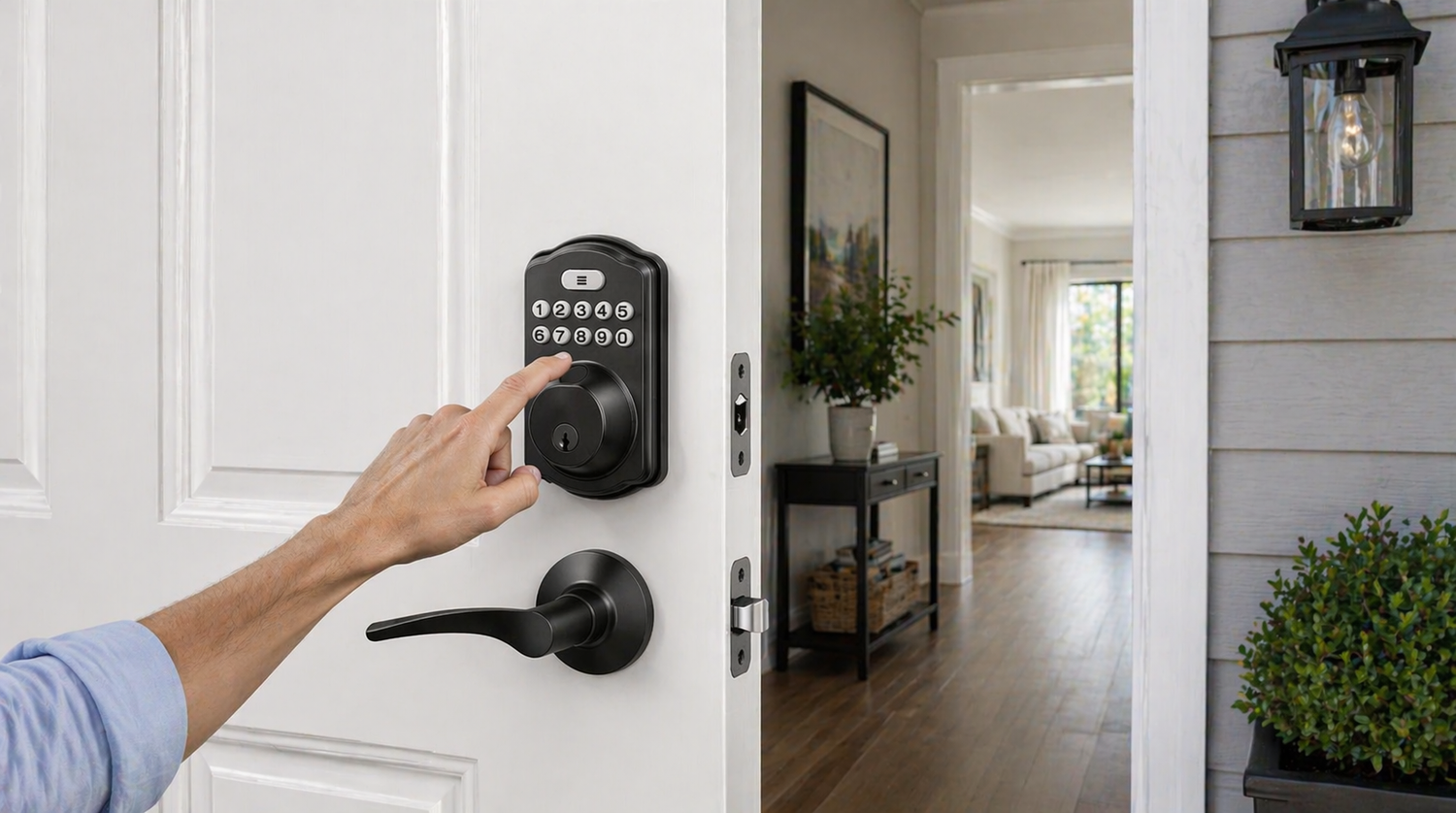
Most people start shopping for a smart lock after something goes wrong — a lost key, a forgotten code, a guest who needed access while you were out of town. Others are simply upgrading a new home and want entry that works as intelligently as the rest of their life. Either way, the market has exploded with options, and it's surprisingly easy to buy the wrong thing.
This guide cuts through the noise. Whether you're a first-time buyer or replacing a lock that didn't live up to its promises, you'll find clear, practical advice on every factor that matters: lock types, unlock methods, connectivity, installation realities, and what you actually need to spend to get reliable security. No jargon overload, no brand hype — just a straightforward path to making the right decision for your front door.
What Is a Smart Lock, Really?
A smart lock is any lock that offers keyless entry or remote control beyond a traditional physical key. That umbrella covers a wide range of products — from a simple keypad deadbolt that lets your kids punch in a code, all the way to a Wi-Fi-connected lock you can control from the other side of the world through a smartphone app. What they share is the goal of making entry more flexible without sacrificing the security a deadbolt provides.
It's worth noting that "smart" doesn't automatically mean better. A keypad deadbolt with no app and no connectivity is still a smart lock in the practical sense — and for many households, it's exactly the right choice. The key is matching the lock's features to how your household actually functions, not chasing the most feature-rich option on the shelf.
Types of Smart Locks: Know What You're Shopping For
The smart lock category breaks down into a few distinct product types, and understanding the difference saves you from buyer's remorse. Here's how to think about each one:
Keypad Deadbolts replace your existing single-cylinder deadbolt with a lock that has a built-in number pad. No app required. You set a code, share it with the people who need it, and you're done. These are the most reliable and beginner-friendly option, with no connectivity to troubleshoot. Veise's keypad deadbolt locks fall into this category and are a strong starting point for most homeowners.
Keypad Latch Locks work similarly but use a spring latch mechanism instead of a deadbolt, making them better suited for interior doors, offices, or doors where a full deadbolt isn't practical. If you need to secure a home office or bedroom without rekeying your whole house, keypad latch locks are an elegant solution.
Smart Locks with a Gateway pair the lock with a small gateway device (G1 or G2) that plugs into your home Wi-Fi and brings full remote control to the app — without the constant battery drain of an always-on connection in the lock itself. Veise offers two options: Smart Locks w/ G1 and Smart Locks w/ G2, with full remote functionality and no subscription fees.
Wi-Fi Smart Locks connect directly to your home network and give you real-time remote access from anywhere, no gateway needed. They're the right choice for Airbnb hosts, frequent travelers, or anyone who regularly needs to let someone in while away from home. Veise's Wi-Fi smart locks include built-in app control with no monthly fees attached.
Overlay vs. Full Replacement Locks is a distinction worth understanding before you shop. Some brands (notably August) sell overlay locks that mount on top of your existing deadbolt, preserving the exterior keyhole. Veise locks require a full lock replacement — the interior and exterior hardware both change. Full replacement typically provides a cleaner install, a more cohesive appearance, and the peace of mind that comes with brand-new hardware throughout.
Unlock Methods: More Options Than You Think
One of the biggest quality-of-life improvements smart locks offer is having multiple ways to get through your door. But the specific methods available depend on which lock type you choose — not every lock supports app or fingerprint access. Here's what the main unlock methods look like across the four categories:
- Keypad Deadbolts: Keypad code is the primary method, with a physical key as reliable backup on every model. Select models add fingerprint for faster, hands-free entry — especially useful in cold or slightly damp conditions.
- Keypad Latch Locks: Keypad code and physical key only — no fingerprint or app control. Ideal for interior doors, offices, or bedrooms where a simple, reliable keyless entry is all you need.
- Smart Locks w/ Gateway (G1 or G2): Keypad code plus full remote app control through the paired gateway, which plugs into your home Wi-Fi. Voice assistant compatibility is included. Every model ships with a key fob and physical key as dual backups, and many also offer fingerprint.
- Wi-Fi Smart Locks: The widest range of options — remote smartphone app from anywhere, keypad code, and voice control via Alexa or Google Assistant. Fingerprint and a physical key backup are typically included, and select models also support a key fob for quick one-touch entry.
Veise offers models across all four categories, so you can pick the lock type whose main unlock methods match how your household actually operates — rather than being forced into a one-size-fits-all approach.
Connectivity: Wi-Fi vs. Gateway vs. Keypad-Only
Connectivity is where a lot of buyers get confused, so it's worth being direct about the trade-offs involved.
Keypad-only locks have zero connectivity — no app, no remote access, no smart home integration. They're the simplest, most battery-efficient, and most reliable option when remote access simply isn't a priority. If your main goal is eliminating physical keys for your household, this is all you need.
Gateway-paired smart locks use a compact gateway device that plugs into your home Wi-Fi, giving you full remote app control without putting an always-on radio inside the lock itself. Battery life on the lock stays long because the gateway handles the network side. Veise offers two options: Smart Locks w/ G1 and Smart Locks w/ G2, each bundling the lock with a gateway so you can manage access from anywhere, no subscription required.
Wi-Fi locks are always connected to your home network directly — no gateway accessory needed — giving you real-time status updates, remote locking and unlocking, and instant activity alerts. The trade-off is higher battery consumption and a dependency on your home Wi-Fi being stable. It's important to note that Veise smart locks use standard Wi-Fi and are not compatible with Zigbee or Z-Wave protocols, so if you're building a Zigbee or Z-Wave smart home ecosystem, plan accordingly.
Who Needs What? Matching Lock Features to Your Lifestyle
The most practical way to choose a smart lock is to start with your actual daily life, not a feature checklist. Here's how different households typically map to different products:
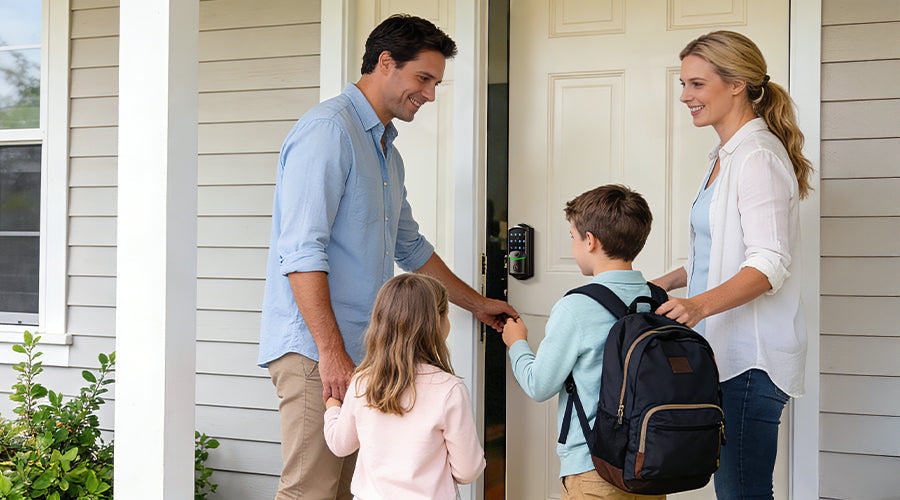
Parents of school-age kids benefit most from a Wi-Fi smart lock or a gateway-paired smart lock with app notifications. Remote app access lets you check entry history, confirm when the kids arrived home, and monitor overall lock activity from anywhere — visibility that a standalone keypad deadbolt can't offer. Set a code the kids memorize, add a fingerprint option for younger children who struggle with codes, and you've solved lost-key stress without sacrificing oversight.
Airbnb and short-term rental hosts need remote access above everything else. A Wi-Fi smart lock lets you create and delete guest codes from anywhere, check whether the door was locked after checkout, and manage access across multiple guests without ever mailing a key. Veise's Wi-Fi models handle this without subscription fees, which adds up to real savings over time.
New homeowners replacing an old lock for the first time often just want something reliable, easy to install, and reasonably priced. A keypad deadbolt hits all three. It's a significant upgrade from a standard keyed lock without the learning curve of app-connected products.
Households with elderly members benefit from key fob access or large-button keypad models that don't require fumbling with a phone. The physical key backup also provides reassurance for family members who are less comfortable with digital access methods.
Frequent travelers want the confidence of knowing they can lock up remotely if they leave in a hurry, check lock status from the airport, and grant access to a neighbor or pet sitter without being home. A Wi-Fi smart lock is the right fit here.
Installation: What to Expect Before You Buy
Smart lock installation is one area where buyer expectations often diverge from reality. Many buyers assume installation is complicated; the truth is that most modern smart locks are designed for homeowners, not locksmiths.
Veise locks are designed for DIY installation in about 15 minutes using a standard screwdriver. The process involves removing your existing deadbolt, installing the new hardware (exterior assembly, interior assembly, and strike plate if needed), and running a quick setup through the app or keypad. No wiring, no drilling in most cases, and no professional required.
A few installation factors to check before purchasing any smart lock:
- Door material: Standard wood doors work with virtually all smart locks. Metal doors are incompatible with Veise products and many other brands due to interference issues and mounting differences.
- Door thickness: Most smart locks fit standard 1-3/8" to 2" doors. Measure yours before buying.
- Existing hole prep: If your door already has a standard deadbolt cutout, installation is straightforward. Doors without existing prep work may require drilling.
- Door handedness: Most locks are adjustable for left- or right-handed doors, but verify this in the product specs.
If you're unsure about your door setup, Veise's US-based support team can walk you through compatibility before you buy — which is a real advantage over brands where post-sale support routes through automated systems.
Security Features That Actually Matter
Marketing copy loves throwing around words like "military-grade" and "bank-level encryption." Here's what to actually look for when evaluating a smart lock's security credentials.
Grade ratings from ANSI/BHMA (American National Standards Institute) measure a lock's physical durability and resistance to forced entry. Grade 3 is the certified standard for residential use and is what the vast majority of homes need — Veise locks are tested and certified to this standard. Grades 1 and 2 are built for higher-demand environments like high-traffic commercial buildings, where doors see far more daily cycles than a typical front door. Check whether the lock you're considering has a documented grade rating, not just a marketing claim.
Auto lock functionality is one of the most underrated security features. A lock that auto locks after a set time interval means a momentarily distracted household doesn't become a security vulnerability.
Tamper alerts and activity logs give you visibility into who is accessing your door and when. On app-connected locks, you can review entry history, get notified of incorrect code attempts, and catch unusual patterns before they become problems.
Local vs. cloud data storage matters for privacy-conscious buyers. Some smart lock ecosystems store your access data on company servers, raising questions about data security and what happens if the company changes its terms or shuts down. Veise locks use local data storage with no cloud dependency, which means your access history and codes stay on your device and lock — not on a third-party server.
No subscription model is both a cost and a security consideration. Locks that wall off features behind monthly fees create a dependency that can leave you with a crippled product if you stop paying. Veise's no-subscription approach means all features work fully out of the box and stay that way.
Price vs. Value: What You Should Really Spend
Smart lock prices range from under $30 to well over $300, and the price doesn't always track with actual quality or usefulness. Here's a practical way to frame what you're spending.
Budget locks under $30 tend to cut corners on build quality, keypad responsiveness, or battery life. They can work fine for low-traffic interior doors but may not hold up on a heavily used front door.
The $30 to $180 mid-range is where most households will find the right balance of features, durability, and price. Veise's entire lineup sits in this range, covering everything from simple keypad deadbolts to fully connected Wi-Fi smart locks. You're getting locks from a brand that has manufactured its own products since 1988 — not an OEM reseller putting its name on someone else's hardware — which translates directly into tighter quality control and more consistent performance.
Premium locks above $200 often add ecosystem integrations (like Apple Home or Z-Wave hubs) or aesthetic premium finishes. These can be worth it for specific smart home setups, but most homeowners paying a premium are subsidizing features they'll rarely use. Before spending more, ask honestly: do I actually need this feature, or does it just look impressive in a spec sheet?
Smart Lock Buying Checklist
Before you finalize your purchase, run through these questions. They'll help you confirm you've matched the right lock to your actual needs.
- Is your door wood (not metal) and standard thickness?
- Do you need remote access, or is local keypad and phone access enough?
- How many people will need regular access, and should codes or fingerprints be used?
- Do you want voice control compatibility (Alexa or Google Assistant)?
- Is no-subscription operation important to you?
- Do you prefer to DIY install, or will you hire someone?
- What finish matches your existing door hardware?
- Does the brand offer accessible customer support if you need help?
If you can answer all eight confidently, you're ready to shop. If a few questions are still unclear, take a look at Veise's full product lineup — the range is broad enough that most homeowners find exactly what they need, and the price points make it easy to commit without second-guessing.
Frequently Asked Questions
Do smart locks work without Wi-Fi?
Yes. Keypad deadbolts and keypad latch locks operate entirely offline — no Wi-Fi, app, or hub required. Gateway-paired smart locks (Veise Smart Locks w/ G1 or G2) and Wi-Fi smart locks still let you unlock with the keypad, fingerprint, or physical key if your Wi-Fi is down — and within short-range wireless distance, the app can still control the lock directly even without an active Wi-Fi connection. Only the long-distance remote features (remote locking, off-site alerts) require the Wi-Fi connection to be live.
How long do smart lock batteries typically last?
Most smart locks run on AA batteries, with runtime varying by model and daily usage. Keypad-only models last the longest because they aren't powering a constant wireless radio. Veise Wi-Fi smart locks use an 8 AA battery design rather than the more common 4 AA setup, delivering stronger signal, more stable connections, and a longer-lasting power reserve — without claiming a precise timeline, since real-world usage varies. Quality locks alert you well before a full drain, so a sudden lockout is unlikely if you pay attention to low-battery notifications.
What happens if the battery dies?
Every Veise smart lock includes a physical key cylinder as emergency backup, so a dead battery never means being locked out. Select models also feature a Type-C emergency power port that lets you temporarily power the keypad with a USB-C cable and power bank long enough to enter your code. The physical key backup is one of the reasons we recommend never buying a smart lock that ships without one.
Can a smart lock be installed on a metal door?
Veise smart locks are designed for standard wood doors and are not compatible with metal doors, storm doors, or sliding doors. Metal doors can cause wireless signal interference and typically require different mounting hardware. If you have one of these door types, a smart lock may not be the right fit — check compatibility with the manufacturer before purchasing.
Do Veise smart locks require a monthly subscription?
No. Every feature on a Veise smart lock — remote access on Wi-Fi models, activity history, guest code management, app control — works fully out of the box with no monthly fee. All features stay unlocked for the life of the product, with no tier paywalls or premium plans.
Are smart locks secure enough for a front door?
Yes, when you choose a lock with documented certifications. Veise smart locks are ANSI/BHMA Grade 3 certified, which is the standard for residential front doors. They also use encrypted communication between the lock, app, and network, and store access data locally on the lock rather than on third-party cloud servers. For most homes, that combination offers stronger protection than a traditional keyed deadbolt, which is vulnerable to lock picking and bumping.
The Right Smart Lock Is the One That Fits Your Life
Choosing a smart lock doesn't have to be overwhelming. Once you know the difference between lock types, understand what connectivity actually changes about your day-to-day experience, and match features to how your household works, the right choice usually becomes obvious. Start with your real needs, not the longest feature list.
Veise was built on exactly that philosophy. From a simple keypad lock for a new homeowner to a fully connected Wi-Fi smart lock for a rental host managing access remotely, every product in the lineup is designed to be genuinely useful, straightforward to install, and priced so that better home security doesn't require a budget conversation. No subscriptions, no cloud dependency, no compromise on quality — just locks built by people who have been doing this since 1988.
Trust Veise, Secure Your Home.
Still Have Questions? We're Here to Help.
Not sure which Veise lock is right for your door? Our US-based support team can help you match the right product to your home setup — before you buy. No automated runaround, just real answers.
Contact Us and get personalized guidance today.

Leave a comment
This site is protected by hCaptcha and the hCaptcha Privacy Policy and Terms of Service apply.